
12 Dec What Is Photo Retouching? Types, Techniques, and When to Use It
Whether it’s a fashion campaign, a professional portrait, or an eCommerce product listing, the quality of visuals can make or break audience engagement. This is where photo retouching comes in, which not only transforms ordinary images into polished & professional ones but also builds trust & awareness.
Photo retouching or digital image retouching is a subset of photo editing. From correcting colors and enhancing textures to removing imperfections and adding creative effects, photo retouching ensures every image looks its best. In this article, we’ll explore what photo retouching is, the common types and techniques used by professionals, and when to apply them to elevate your photography, marketing, or brand visuals.
What is Photo Retouching?
Photo retouching is the process of enhancing, refining, and correcting digital images to improve their visual quality, maintaining a natural outlook. It involves removing imperfections, adjusting colors, and enhancing details to create a polished final image that meets professional standards.
Unlike basic photo editing, photo retouching is more detailed, precise, and often artistic, aimed at making the subject (people, products, or scenes) look their best. This type of editing is best used in marketing, social media advertising, the fashion industries, e-commerce product pages, and so on. Popular photo retouching software is Adobe Photoshop, Adobe Lightroom, Affinity Photo, etc.
Photo Editing vs Photo Retouching: What are the key differences
The difference between photo editing and photo retouching lies in purpose, complexity, techniques, and the amount of time involved. Below, we’ve highlighted a key difference:
| Aspect | Photo Editing | Photo Retouching |
|---|---|---|
|
Definition
|
Refers to the basic or initial adjustments, like lighting, color, composition, or exposure |
Refers to in-depth retouching, focusing on improving specific details and enhancing the subject |
|
Techniques |
Global adjustments
|
Local, fine adjustments
|
|
Complexity |
Basic |
Advanced or detailed
|
|
Tools used |
Levels, Curves, Crop, White Balance |
Clone, Healing, Frequency Separation, Liquify |
|
Output |
Natural & corrected |
Polished, refined, commercial-grade |
|
Used in |
Bulk images, simple corrections |
Beauty, products, fashion, ads |
|
Skill level |
Beginner to intermediate |
Intermediate to expert |
Why Photo Retouching is Important in Modern Photography?
Photo retouching is important in modern photography for enhancing visual appeal, correcting flaws, ensuring professionalism, and aligning images with a specific brand vision or identity.
Here are key reasons showcasing the importance of retouching:
- Enhances image quality & appeal: Retouching fixes issues like poor lighting, harsh shadows, dull colors, and blurry details, making images vibrant and eye-catching.
- Corrects imperfections: It removes distracting elements, blemishes, or temporary flaws, creating a cleaner, more polished look for subjects.
- Meets professional standards: This photo editing technique is essential for e-commerce, fashion, and advertising to present products and people in the best possible light, ensuring brand consistency.
- Reflects creative vision: Allows photo editors to control the final mood, atmosphere, and story, ensuring the image matches brand vision.
- Boosts engagement: Polished, professional images attract more attention online, leading to higher interaction, trust, and sales for businesses.
- Build trust & loyalty: High-quality images and attention to detail create a strong first impression, increase credibility, and communicate reliability.
- Brand recognition: Colored backgrounds, custom margins, unique approach to shadows, all these elements help you to build brand awareness.
Common Types of Photo Retouching
Some common photo retouching types are as follows:
Portrait Photo Retouching
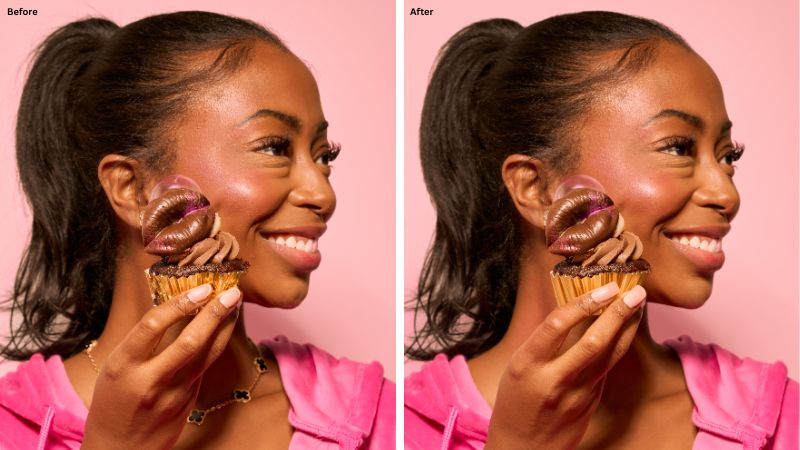
Portrait retouching involves enhancing a person’s facial and skin features, keeping the image natural and realistic. For example, corporate portraits, lifestyle photos, personal branding, and so on. Professional retouchers
What it involves:
- Skin smoothing (subtle)
- Removing blemishes & dark circles
- Eye brightening
- Teeth whitening
- Color correction
- Toning & dodge-burn
- Fixing flyaway hair/removing stray hair
Use cases: Portrait retouching is popular among photographers, influencers, corporate website bios, and social media portraits.
Headshot Photo Retouching
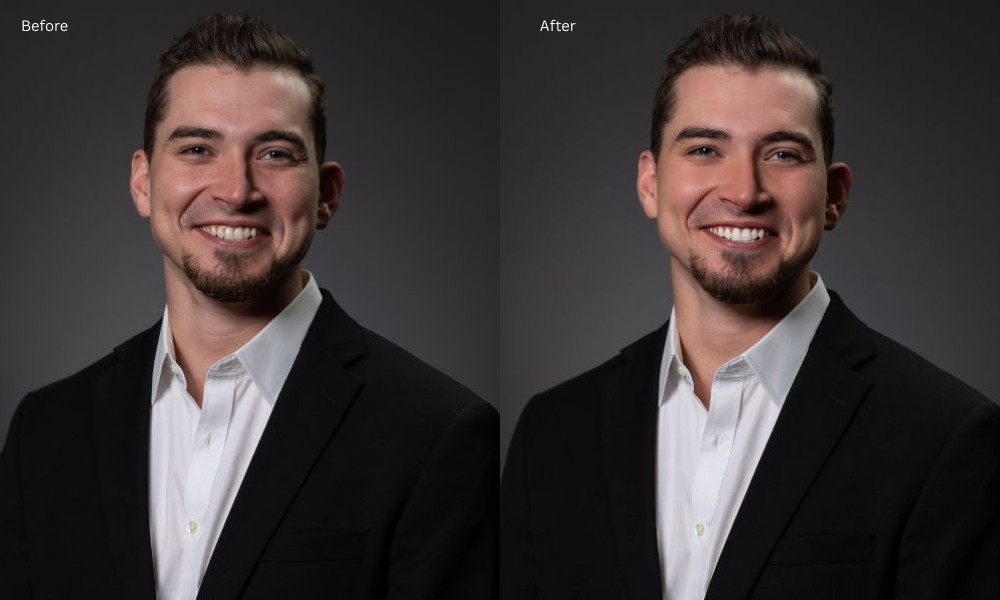
It is a more refined version of portrait retouching, which is used for professional headshots. Headshot retouching is applied only on the face, focusing on clarity, facial appearance, and removing blemishes.
What it involves:
- Removing wrinkles (soften, not eliminate)
- Evening skin tone
- Enhancing eyes & eyebrows
- Improving lighting & background
- Correcting lens distortion
Use cases: Portrait retouching is popular among modeling agencies, corporate executives, the entertainment industries, and actors.
High-End Photo Retouching
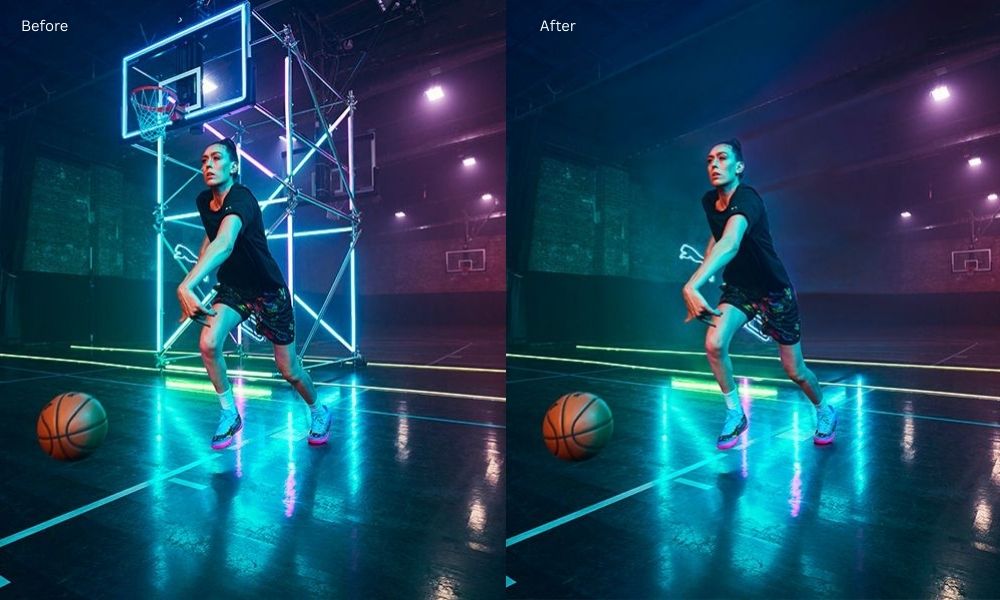
High-end retouching goes far beyond basic fixes, enhances photos to achieve flawless, magazine-style results, preserving natural beauty and realism. This artistic and sophisticated retouching is applied in commercial photography.
What it involves:
- Frequency separation
- Dodge & burn shaping
- High-detail skin texture preservation
- Advanced color grading
- Complex object or backdrop cleanup
Use cases: Fashion magazines, advertising agencies, and high-end beauty brands.
Product Photo Retouching
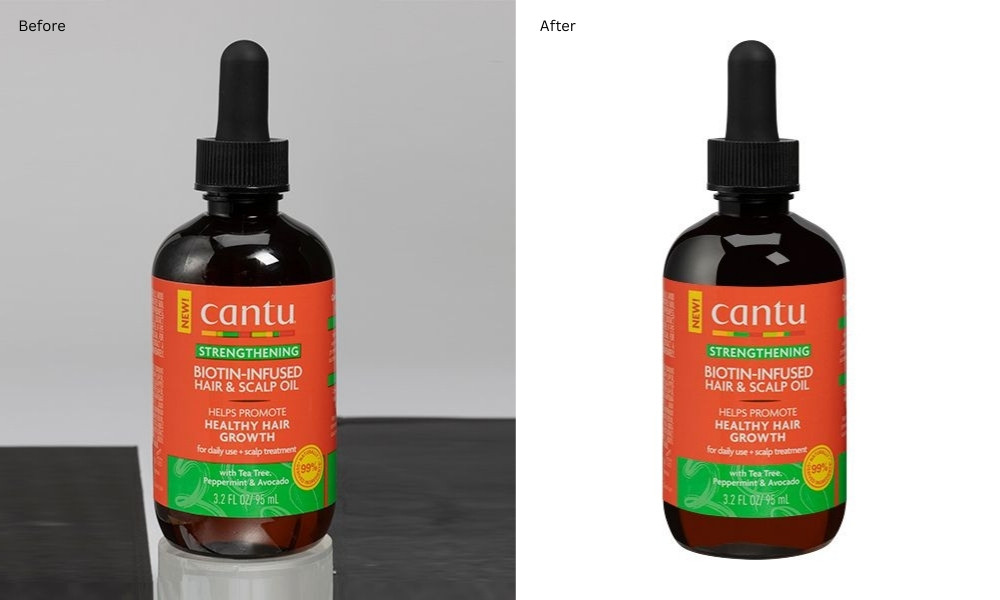
Product retouching focused on making products look flawless, appealing, and eCommerce-ready. It not only enhances product photos but also builds customer trust and drives sales. For example, apparel, electronics, shoes, cosmetics, home decor, etc.
What it involves:
- Dust & scratch removal
- Edge refinement
- Color consistency
- Reflection removal
- Background cleanup or whitening
- Shape or symmetry correction
- Adjust lighting/shadows
Use cases: E-commerce stores, Amazon & eBay sellers, brand catalogs, and marketplace listings.
Commercial Photo Retouching
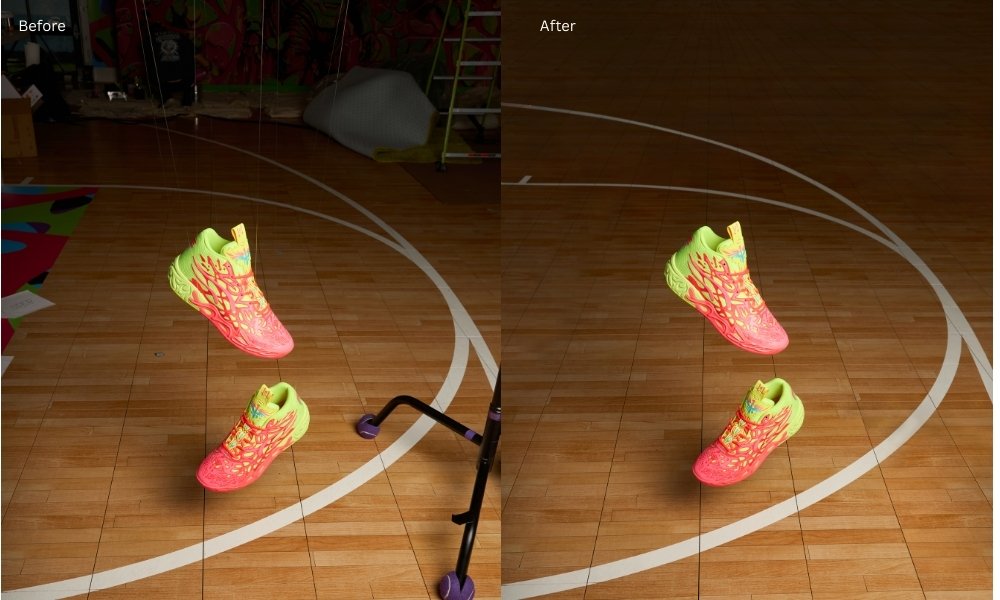
Commercial retouching is used for advertisements, branding, and promotional visuals. It is a specialized, high-level photo editing technique effective in making products, models, or brands look flawless, appealing, and consistent.
What it involves:
- Creative color grading
- Composite editing
- Background enhancements
- Perfecting the product or model appearance
- Highlighting branding elements
Use cases: Marketing agencies, brands & advertisers, e-commerce businesses, etc.
Skin Photo Retouching
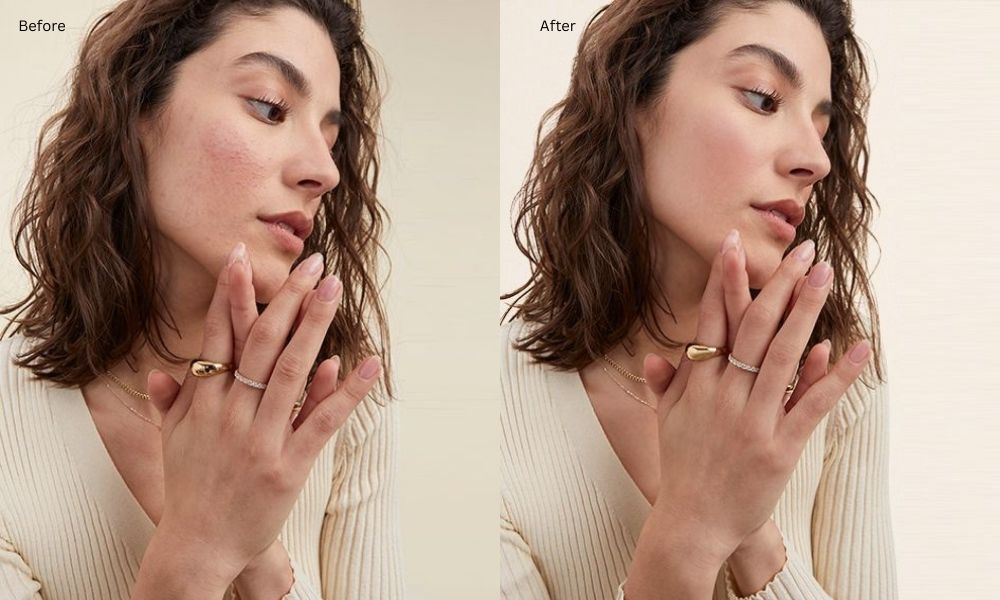
Skin photo retouching is the digital process of enhancing skin in portraits by removing imperfections, creating a polished, professional look. Photo retouchers pay attention to permanent marks, such as birthmarks, moles, and age-based marks, before retouching.
What it involves:
- Removing wrinkles, blemishes, and acne
- Reducing pores
- Even tone correction
- Smoothening (without plastic effect)
- Fixing discoloration
Use cases: Salons, makeup artists, cosmetic brands, fashion photographers, etc.
Glamour Photo Retouching
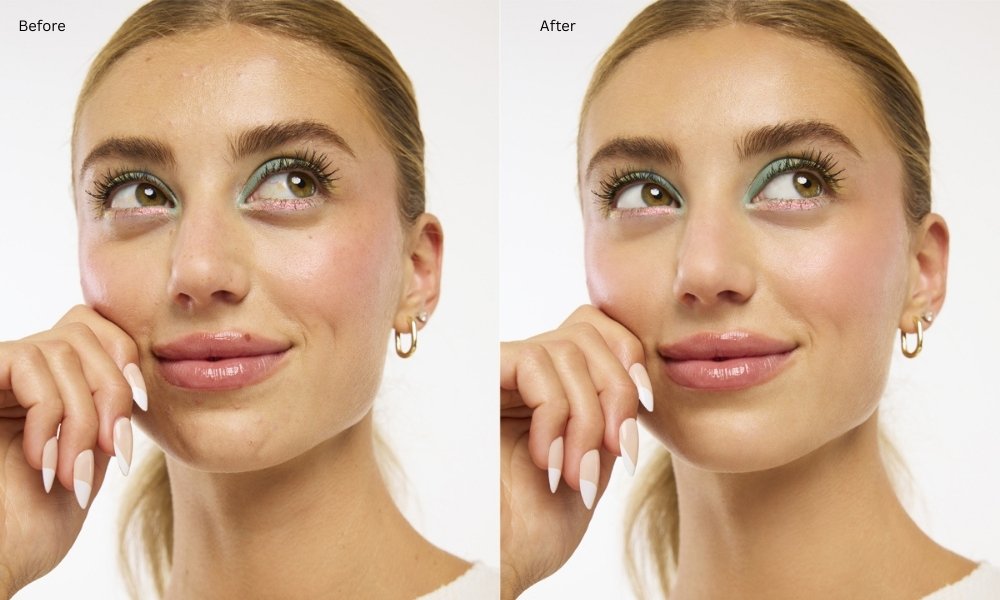
Stylized, dramatic digital makeup retouching is best for making the subject look glamorous, glowing, and flawless. It goes beyond natural beauty to enhance a subject’s allure for fashion, modeling, or branding.
What it involves:
- Strong skin smoothening
- Body sculpting
- Eye & lip enhancement
- Color pop
- Glamour-style lighting
- Cohesive color tone
- Remove flaws
- Adjusting hair
Use cases: Fashion houses, beauty magazines, lifestyle photography, cosmetic brands, portfolio photographers, etc.
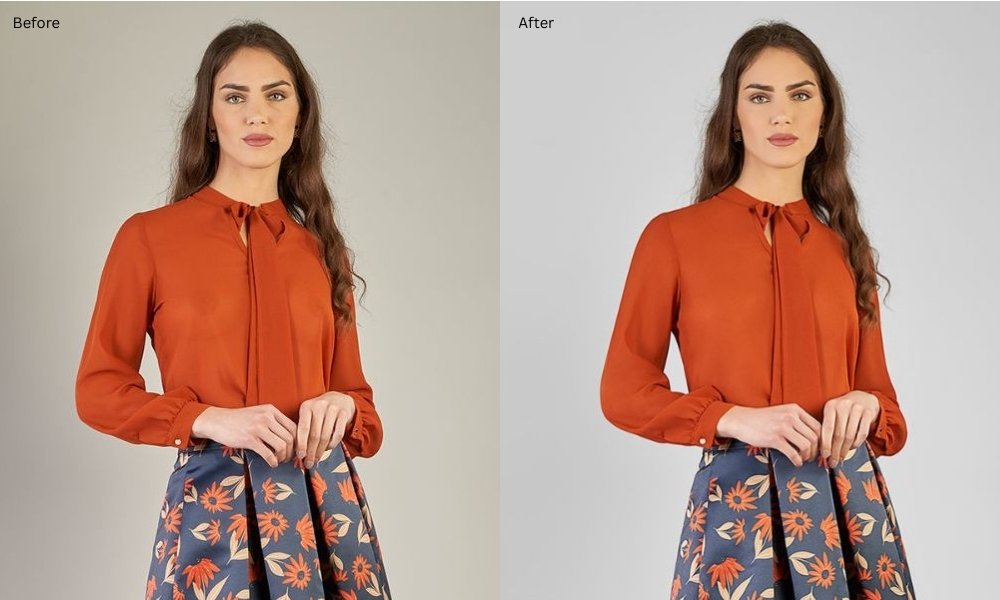
Fashion Photo Retouching
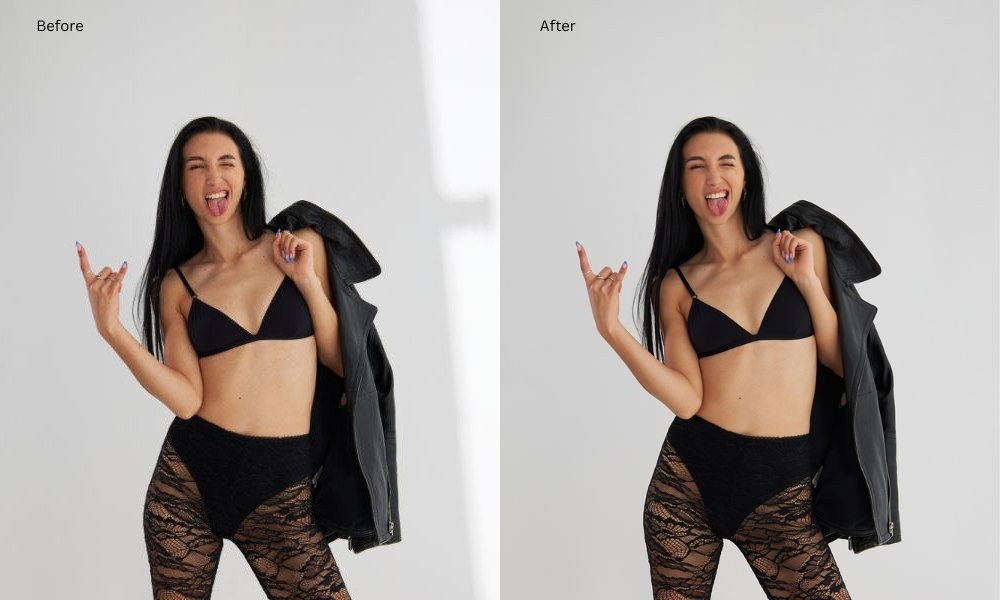
It is a high-end style of retouching focusing on models, outfits, and accessories used in fashion campaigns. This professional digital enhancement of fashion not only creates flawless, polished visuals but also ensures brand consistency.
What it involves:
- Skin & hair retouching
- Texture cleanup on clothes
- Removing wrinkles from garments
- Enhancing colors & patterns
- Dramatic lighting adjustment
Use cases: Fashion brands, modeling agencies, designers, retail campaigns, etc.
Hair Photo Retouching
This retouching focused entirely on hair, making it smooth, full, shiny, and natural-looking. Hair retouching is common in fashion and beauty photography to enhance a model’s hair in images.
What it involves:
- Fixing flyaways
- Adding shine and texture
- Filling gaps in hair volume
- Color correction
- Enhancing highlights
- Background cleanup
Use cases: Haircare brands, salons, beauty magazines, and so on.
Packshot Photo Retouching
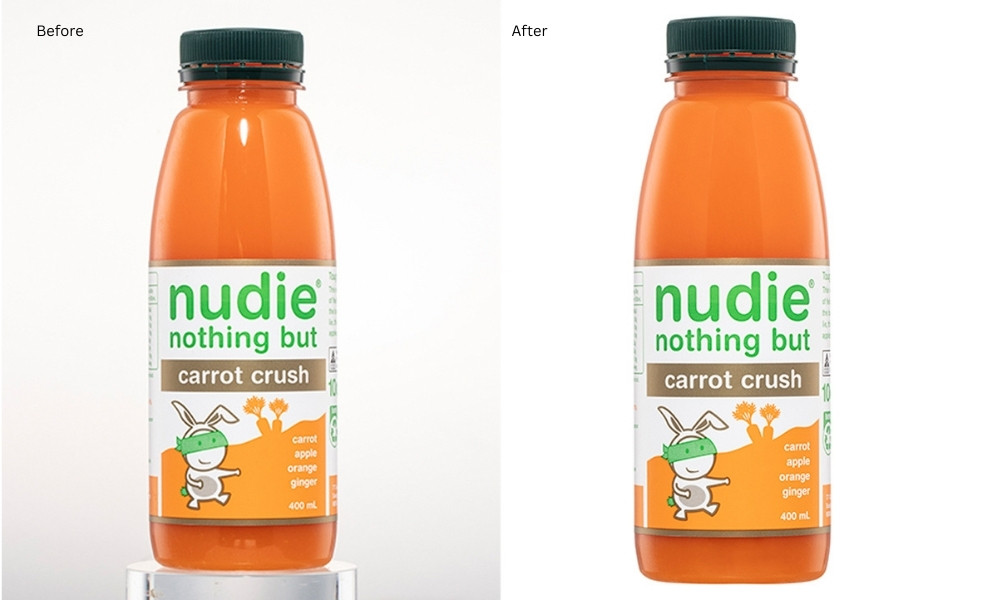
Packshot photography refers to a style of product photography where the main focus is the product’s packaging to build consumer trust. With packshot retouching, experts make them flawless, appealing, and consistent for e-commerce and advertising.
What it involves:
- White background perfection
- Removing dust, scratches, and fingerprints
- Shape correction
- Label sharpening
- Color matching with brand requirements
Use cases: Product photographs, beauty, and cosmetic photographs.
Jewelry Photo Retouching
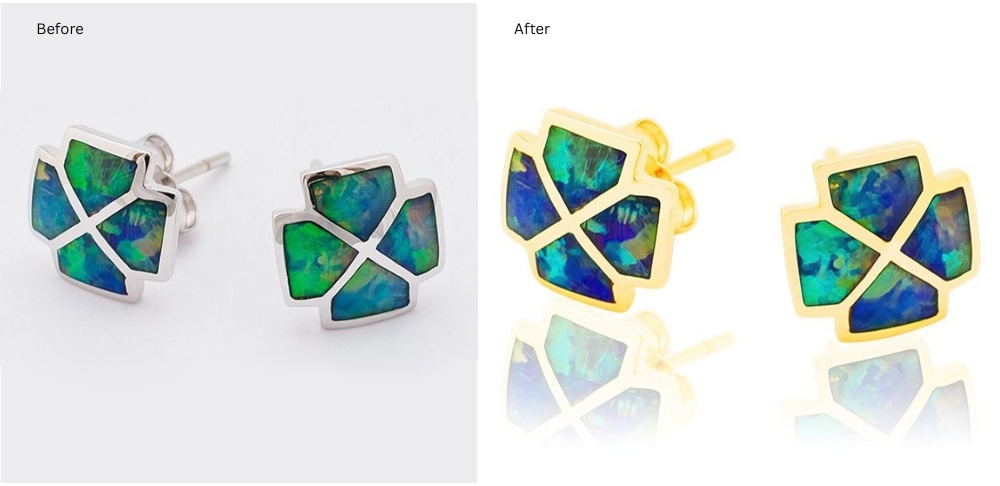
Jewelry photo retouching is a highly specialized retouching focusing on making jewelry sparkle and look luxurious. This editing is useful to show the true beauty and quality of the piece and create a professional look across a brand’s entire product line.
What it involves:
- Removing reflections & fingerprints
- Sharpening gemstones
- Enhancing shine and highlights
- Correcting metal color (gold/silver)
- Clean background perfection
Use cases: Jewelers, online jewelry stores, catalogs, and luxury ads.
Creative Photo Retouching
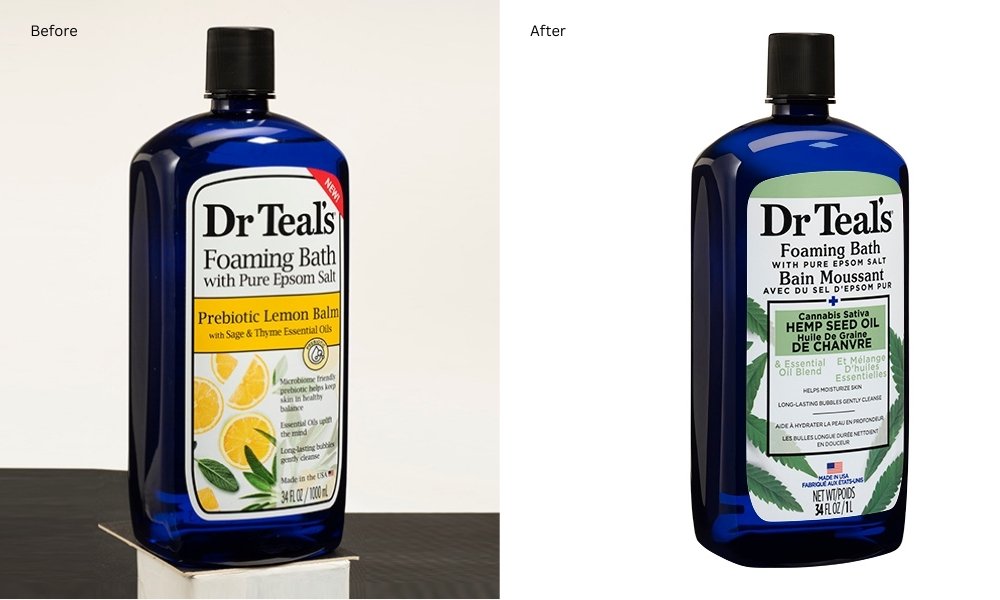
Creative photo retouching is an artistic, conceptual retouching that transforms the image into something imaginative or surreal. It requires high skill to produce compelling, polished visuals for marketing or art.
What it involves:
- Photo manipulation
- Creative composites
- Fantasy elements
- Artistic color grading
- Concept development
Use cases: Artists, ad agencies, the entertainment industry, etc.
Old Photo Retouching
Old photo retouching is also called photo restoration, is the digital process of repairing and enhancing damaged, faded, or aged photographs to bring them back to life. It involves digitally removing imperfections and correcting flaws.
What it involves:
- Removing stains, scratches, and tears
- Rebuilding missing parts
- Improving clarity
- Colorizing black & white images
- Restoring faded tones
Use cases: Personal projects, museums, vintage portraits, historical images, etc.
Essential Photo Retouching Techniques
Photo retouching techniques are categorized into three different levels, including:
Basic Photo Retouching Techniques
Basic or simple photo retouching focuses on improving essential alterations and uplifting images in some areas without changing its overall look. Often used for quick fixes or eCommerce product photos. These techniques’ ultimate goal is quick improvement for clean, visually appealing images.
Common Techniques:
- Blemish Removal: Fixing minor skin imperfections, dust, or scratches.
- Exposure & Brightness Adjustment: Correcting underexposed or overexposed areas.
- Color Correction: Balancing white balance and enhancing natural colors.
- Cropping & Resizing: Adjusting composition or dimensions.
- Sharpening & Clarity: Slight enhancement to make images crisp.
- Background Changes: Add, remove, or replace background, minor, aligning to context.
- Skin Adjustment: Enhance skin tone based on the model’s appearance, add or remove age-based wrinkles, and display facial confidence.
- Hue & Saturation: Hue is color variations, and saturation is the intensity of a particular hue. In basic retouching, it reveals color diversity in photos.
- Object Removal: This technique ensures clutter-free, clean images, which gain viewers’ attention.
- Noise reduction: Photo retouchers make balanced noise removal to keep a natural appearance.
Where It’s Used:
- Basic eCommerce images
- Personal portraits
- Social media posts
Complex Photo Retouching Techniques
High-end or complex photo retouching techniques involve more time, precision, and layering, often used in fashion, portrait, or commercial photography.
Common Techniques:
Beauty Retouch: This technique is useful to enhance a person’s look, including:
- Blemish removal: In this process, retouchers eliminate acne, temporary scars, facial imperfections, or spots on the face.
- Skin smoothing: It works on the facial bumps, uneven skin, pimples, and skin roughness.
- Eye retouching: It makes the eye clear, bigger, smaller, and defined, adjusting eye color, eye bag removal, etc.
- Wrinkle adjustment: Instead of removing all wrinkles, digital retouching makes realistic alterations.
- Brace removal & teeth whitening: Professional retouching brings models’ natural smile.
- Stray hair removal: This technique ensures the model’s hair has volume, and the hair shines to make the model’s appearance neat and professional.
Frequency Separation: Smooths skin while keeping texture intact.
Dodge & Burn: Enhances highlights and shadows for dimension.
Advanced Masking & Compositing: For hair, fur, transparent objects, or merging multiple images.
Color Grading: Creating a specific mood or style through selective color adjustment.
Shadow & Reflection Creation: For product images, adding realistic shadows and reflections.
Ghost Mannequin / Neck Joint: For apparel eCommerce photography.
Where It’s Used:
- Fashion & editorial
- High-end eCommerce
- Portrait studios
- Advertising campaigns
Advanced Photo Retouching Techniques
Advanced retouching refers to highly intricate, creative, and custom techniques to fulfill the client’s business-specific image requirements. It requires sophisticated and professional skill to retouch perfectly.
Common Techniques:
- High-End Skin Retouching: Removing wrinkles, blemishes, and imperfections while retaining realism.
- Creative Compositing: It merges several images, elements, and concepts into one photo to generate a new perspective.
- HDR Blending & Exposure Merging: Combining multiple shots for dynamic range.
- Advanced Color Manipulation: Selective tone mapping, split toning, cinematic effects.
- Restoration of Old or Damaged Photos: Repairing tears, scratches, and faded colors.
- Creative Compositing & Surreal Edits: Combining elements for campaigns, ads, or artistic projects.
- Curves Adjustment: Expert retouchers apply curve adjustment to control tone, shadows, etc.
- Digital Makeup & Body Sculpting: Enhancing facial features, makeup, or body proportions subtly.
Where It’s Used:
- Luxury fashion campaigns
- High-end advertising
- Celebrity and editorial shoots
- Photo restoration and museum-quality prints
Popular Tools Used for Photo Retouching
Some popular tools used for photo retouching are as follows:
Healing brush tool
The healing brush tool removes blemishes, scratches, and imperfections while blending texture seamlessly. The tool maintains skin texture and is useful for minor spots, acne, or dust on product images.
Photoshop Navigation:
- Shortcut Photoshop key is “J”
- Select the Healing Brush tool from the toolbox
- Click Alt+Click to sample the area
- After that, paint over the imperfection where you want.
Spot healing brush tool
This tool allows you to edit photos without selecting any samples. It automatically selects samples, makes adjustments, and delivers the final output. The tool is perfect for small spots or dust in product photos.
Photoshop Navigation:
- Spot Healing brush tool shortcut key: J (toggle to Spot Healing Brush)
- Choose type: Proximity Match or Content-Aware
- Click or drag over the spot
Patch tool
Another effective Adobe Photoshop tool for removing unwanted objects, flaws, blemishes, or larger imperfections is the Patch tool. It maintains a natural texture than Healing Brush.
Photoshop Navigation:
- The shortcut key: J
- Choose type: Proximity Match or Content-Aware
- Click or drag over the spot
Content-aware tool
This Photoshop tool is effective in removing distractions and works similarly to a Patch tool. It automatically fills a selected area by analyzing surrounding pixels. It is ideal for background cleanup in product or lifestyle photography.
Photoshop Navigation:
- Select an area with any selection tool
- After that, click “Edit” from the menu bar, go to “Fill.”
- Choose Content-Aware and hit “OK.”
Red Eye tool
The Red Eye effect happens when photographing a headshot or a portrait under a flashlight. Using this tool, photo editors can quickly fix eyes without affecting the surrounding areas.
Photoshop Navigation:
- Red Eye tool shortcut key: J
- Click on the red part of the pupil
- Photoshop corrects it automatically
Clone tool
This Photoshop tool works by copying (or cloning) pixels from one part of an image and applying them to another. This allows editors complete manual control over texture, color, and details, making it effective for high-quality retouching.
Photoshop Navigation:
- The shortcut key is: S
- Go to the toolbar & access to “Clone Stamp tool”
- Choose the Brush Size (larger for broad areas, smaller for details)
Choose the Hardness (Soft edges & Hard edges)
Pattern Stamp tool
Unlike the Clone Stamp Tool, which copies pixels from a specific area, the Pattern Stamp applies predefined or custom patterns to restore, enhance, or creatively alter parts of an image. Some key uses are: restoring textures in damaged areas, extending backgrounds, creative pattern application, etc.
Photoshop Navigation:
- Press the “S” to choose the tool
- Go to the “Options Bar” at the top and click “Pattern Picker”
- Choose a default pattern or a custom pattern
- Select a blending mode
- Paint over the area you want to fill
Dodge & Burn tool (depth & contrast)
The dodge & burn feature in Photoshop is effective to enhance depth, dimension, and contrast, making images look more dynamic and professional. Dodge tool lightens areas to bring out highlights or brighten shadows. The burn tool darkens areas to add depth, define contours, or enhance shadows.
Photoshop Navigation:
- Press O on your keyboard
- In the options bar at the top, select Highlights, Midtones, or Shadows depending on the area you want to adjust.
- Set the Exposure: 5-15% for subtle adjustments, higher for more dramatic effects
- Use a brush large enough to cover the area
Blur & Sharpen tool
The Blur & Sharpen Tool is an essential retouching tool in Adobe Photoshop used to control image focus and clarity. It allows editors to soften unwanted details or enhance edges and textures for a more polished and professional look.
Photoshop Navigation:
- Press R on your keyboard
- Choose Tool Options in the Top Menu: Strength, mood, and protect detail
- Set the brush settings
- Paint over target areas
Frequency Separation tool (natural skin smoothing)
Frequency Separation (FS) is an advanced photo retouching technique used to separate the texture and color information of an image onto two different layers. This allows editors to retouch skin, fabrics, or product surfaces without affecting fine details like pores, wrinkles, or textures.
Photoshop Navigation:
- Apply Gaussian Blur to Low Frequency Layer (Filter -> Blur -> Gaussian Blur)
- Use tools with frequency separation (i.e., healing brush tool, clone stamp tool, etc.)
- Fine-tune tune for final adjustments
Color Correction & Toning
Color correction and toning are essential in photo retouching that adjust, enhance, and balance colors in an image to achieve a realistic, appealing, or stylistically desired look.
Photoshop Navigation:
- Open your image in Photoshop
- Apply Levels/Curves to balance exposure
- Use Hue/Saturation or Color Balance for accurate color
- Fine-tune using Selective Color or Photo Filter
Industry Use Cases (Portrait, Fashion, E-commerce, etc.)
Photo retouching service not only enhances visual appeal but also helps to maintain brand consistency that drives sales. Below, we’ve highlighted some use cases of different industries:
E-commerce & Product Retouching
The main goal is to present products clearly and attractively to boost online sales and reduce returns. Some most followed techniques are:
- Background removal (often to plain white)
- Color correction to ensure true-to-life color
- Scratch and dust removal
- Adding realistic shadows or reflections, and
- Removing mannequins (ghost mannequin effect)
Fashion & Beauty
Retouching is used to create aspirational, magazine-quality images that align with brand identity. Techniques are applied:
- High-end skin smoothing while preserving natural texture (frequency separation)
- Enhancing hair
- Applying digital makeup
- Body reshaping, and
- Ensuring clothing details (like fabric texture and wrinkle reduction) are flawless
Portrait & Headshot Photography
The focus is on creating a polished yet natural look that enhances the subject’s features for professional portfolios, social media, or personal use. Effective photo retouching techniques are:
- Blemish removal
- Eye and teeth enhancement
- Evening skin tones, and
- General exposure and color correction
Advertising & Marketing
Retouching helps create visually compelling content that stands out in campaigns across digital and print media. Techniques are applied:
- Image manipulation/compositing (combining multiple images or elements to create a surreal or perfect scene)
- Color grading to match the campaign’s mood, and
- Background replacement
Real Estate & Architecture
Retouching makes properties look bright, spacious, and inviting to potential buyers. Effective photo retouching techniques are:
- Brightening interiors
- Correcting perspectives and vertical lines
- Replacing dull skies with brighter ones, and
- Removing unwanted objects or clutter
Jewelry & Luxury Goods
This sector requires extreme precision to highlight fine details and material quality. Must applied techniques are:
- Enhancing gemstone clarity and sparkle
- Controlling reflections and glare on metal surfaces
- Removing microscopic dust or fingerprints.
Common Mistakes to Avoid When Retouching Photos
Common mistakes you should avoid when retouching photos are as follows:
Over-retouching
This is the most common retouching mistake, and sometimes it may happen:
- Skin smoothing: Excessive skin smoothing makes model faces look fake or like plastic dolls.
- Over-sharpening: Harsh edges and halos, making elements look artificial.
- Flattened Highlights & Shadows: Losing detail in the brightest and darkest areas removes depth.
Do instead:
- Maintain pores and natural texture
- Use frequency separation carefully
- Balance between real and refined
Unrealistic color correction
Incorrect white balance or oversaturated colors can instantly ruin the image. The common issues are:
- Orange/blue skin tones
- Over-saturated clothing or backgrounds
- Using global adjustments instead of selective edits
Do instead:
- Carefully adjust white balance
- Use HSL for targeted adjustments
- Check tones on different screens
Inaccurate masking & cutouts
Poorly masked edges, jagged hairlines, visible halos, or incomplete cutouts make images look unprofessional (i.e., missing small details, incorrect background blending, etc.).
Do instead:
- Use refined masking tools for soft edges
- Pay extra attention to hair masking
- Zoom in and check edges thoroughly
Ignoring light direction & shadows
Adding shadows or highlights incorrectly makes the image look unrealistic.
Do instead:
- Observe the original light source
- Retain natural shadows where possible
- Match retouching with original lighting conditions
Overusing filters & presets
Applying presets without adjusting intensity, using trendy filters, or crushing highlights might ruin brand consistency.
Do instead:
- Customize presets for each image
- Maintain consistency across the entire project
- Reduce filter strength when needed
Technical or workflow errors
Working directly on the image makes it impossible to undo edits, and bad cropping destroys composition and resolution.
Do instead:
- Use Layers to work non-destructively
- Aim to enhance, not erase, the original beauty
- Check consistency
- Zoom out to retouch perfectly
Neglecting size & resolution settings
Sharpness directly influences how customers perceive the product’s detail, texture, and quality. A lack of sharpness makes images appear soft, dull, and unprofessional.
Do instead:
- Use selective sharpening for targeted precision
- Combine sharpening with texture enhancements
How to Pick a Reliable Photo Retouching Company?
To pick a reliable photo retouching company, you need to check its portfolio, read client reviews on multiple platforms, assess their communication, and use free trials to check their process.
Below, we’ve highlighted all key factors that help you choose the best one!
- Technical expertise & software proficiency: A renowned photo retouching service provider has in-house experts who use industry-standard software like Adobe Photoshop, Lightroom, and others. They also have expertise in advanced retouching techniques.
- Industry experience & specialization: Different industries require different retouching styles. For example, fashion requires high-end beauty retouching, e-commerce requires product cleanup, color correction, and others. So, ask for niche-specific samples to verify if they understand your brand style.
- Take a look at Service Categories: A reliable retouching company should offer a wide range of services, such as ghost mannequin, background removal, shadow creation, image masking, and so on. So, ask how they handle large-volume editing.
- Check previous projects or portfolio: A company’s portfolio or project shows their speciality, professionalism, and quality of work. So, take a look at the company’s portfolio thoroughly or request a “Free Trial” to verify photo editing.
- Turnaround time & deadline management: Timely delivery is crucial, especially for e-commerce product launches, campaign shoots, and bulk editing. Ask about the average delivery time per batch.
- Check clients’ reviews or testimonials: The best indicator of reliability is client satisfaction. Read reviews on Google, Trustpilot, or their website to look for recurring patterns based on speed, quality, customer support, etc.
- Pricing Transparency: Transparent pricing without hidden charges or fees is the best to partner with. So, to verify companies’ pricing transparency, “Request A Quote” for bulk orders.
- Communication & customer support: The company’s commitment to 24/7 means they are always open to solving your issues. Also, a smooth communication channel ensures your instructions are followed perfectly.
- Revision policy: A trustworthy company should offer reasonable revisions to match your expectations. So, before selecting one, ask how many revisions are included and acknowledge their process for re-edit requests.
- Data security: Data security is a must-have you should consider when working with product editing companies. So, it’s ideal to ask about file handling and the storage process.
Masking Aid Photo Retouching Company: Your Trusted & Reliable Partner
Choosing the best photo retouching company can directly impact your brand identity, conversion rates, and customer trust. But not all service providers offer the same level of skill, consistency, or reliability. With Masking Aid, you not only get quality images with accurate retouching but also launch your products on time.
Why Masking Aid?
- In-house industry experts with advanced photo editing skills.
- In-time delivery & high-resolution image quality.
- Affordable pricing ideal for SMEs, agencies, and enterprises.
- You get hassle-free updates, clear instructions, handling, and zero miscommunication.
- From skin retouching to product enhancement, edits match your brand guidelines and platform requirements.
- Offers different photo editing services to fulfill your editing requirements instantly.
Frequently Asked Questions About Photo Editing Tips
What are the differences between AI photo retouching and manual photo retouching?
AI retouching uses machine-learning algorithms to automatically detect and correct elements. Whereas manual photo retouching involves skilled editors using professional tools like Photoshop to enhance images with full creative control.
How long does photo retouching take?
The time required for photo retouching varies retouching complexity, like for basic adjustments (5-15 minutes/photo) to hours or days for high-end (30minutes-2+ hrs/photo) or advanced retouching.
Can photo retouching fix blurry images?
Yes, photo retouching fixes blurry images if it's done by professionals. At Masking Aid, our in-house photo editing experts retouch images, maintaining their natural beauty.
How much does photo retouching cost?
Photo retouching costs around $5 to $50+ per image, depending on retouching complexity and editing speciality. However, at Masking Aid, you get affordable photo retouching services starting between $0.29 and $1.10 per image for bulk orders with quality.
What is the difference between color grading and color correction?
Color correction fixes technical issues such as white balance, exposure, or contrast for a natural outlook. On the other hand, color grading adds creative, specific visual tone (mood, atmosphere, artistic flair, etc.) to the image to create a signature look.
What file formats are best for retouching?
The best file formats for photo retouching are RAW files, PSD, and PSB. And for the final output & sharing, file formats are JPEG, PNG, and TIFF.
Conclusion
Photo retouching bridges the gap between a good photo and a perfect, high-performing visual, ensuring your images are polished, professional, and brand-ready. And it requires skill that you can get by outsourcing to a reliable photo retouching company. Whether you’re enhancing a portrait, perfecting product images for eCommerce, or creating high-end fashion visuals, they fulfill your visual requirements, maintaining quality.
So, what are you waiting for? Outsource now & boost your business sales today!
