
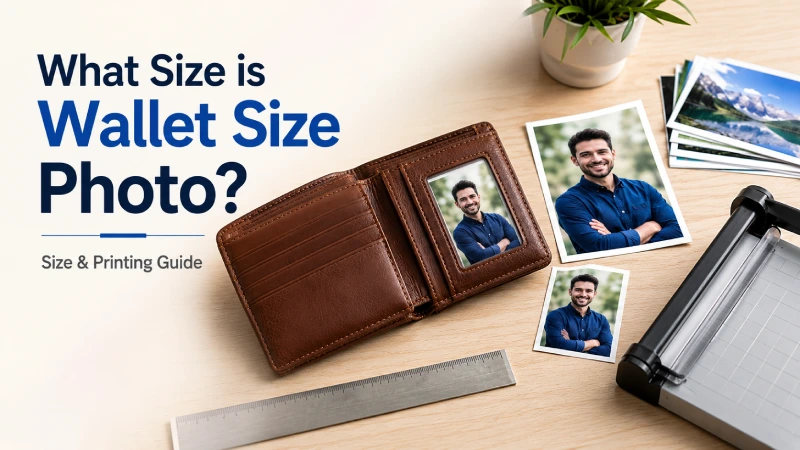
16 Jun What Size is Wallet Size Photo? Size & Printing Guide
Wallet-size photos are one of the most popular print products among photographers and photo studios. From school portraits and graduation packages to family keepsakes and event photography, these compact prints are highly demanding among clients.
But not all wallet photos are the same size, and choosing the wrong dimensions or resolution can lead to unpleasant cropping, poor image quality, and customer dissatisfaction.
Considering those facts, we’ve come up with this comprehensive guide that covers everything you need to know about wallet photo sizes, including standard dimensions, pixel requirements, printing methods, and preservation tips. Let’s get started!
Key Takeaways:
- A wallet-size photo is a small print designed for wallets, card holders, mini albums, and keepsakes.
- Standard wallet photo dimensions typically range from 2×3 inches to 2.5×3.5 inches, depending on the printer and intended use.
- Printing at 300 DPI ensures clear details, accurate colors, and professional-quality results.
- Choosing the right wallet photo size depends on your wallet type, photo slot measurements, and intended purpose.
- Whether printing at home, online, or through a local photo lab, proper cropping, image preparation, and storage are essential for the best results.
What Is a Wallet Size Photo?
A wallet size photo is a small print designed to fit easily inside a wallet, purse, small photo album, or standard credit-card sleeve. It is commonly used for personal keepsakes, school portraits, family photos, graduation pictures, and promotional photo packages.
The standard wallet photo size in the United States is 2.5 × 3.5 inches (6.35 × 8.89 cm), which is similar in size to a credit card. However, some photo printing services may offer different wallet-size dimensions, so it’s ideal to verify the exact size before printing.
What Size Is Wallet Size Photo?
As mentioned earlier, wallet-size photos are small prints designed to fit easily inside wallets, card holders, mini photo frames, and photo albums. The dimensions vary depending on the print service you use. Understanding the exact dimensions and resolution requirements helps ensure your photos print clearly and fit their intended purpose without cropping issues.
Standard Wallet Photo Dimensions
As the standard photo size, there is also a standard wallet size photo dimension is 2 inches by 3 inches or 2.5 inches by 3.5 inches. This compact format is commonly used for school portraits, family photos, graduation pictures, and keepsake prints. Because it is similar in size to a credit card, a wallet photo can be conveniently carried and shared.
The table below shows the most common variants:
| Name | Inches | Milimetres | Notes |
|---|---|---|---|
|
US Standard (2R) |
2.5 x 3.5 in |
63.5 x 88.9 mm |
Most common |
|
US Small wallet |
2 x 2 in |
50.8 x 50.8 mm |
Square format |
|
School wallet |
2 x 3 in |
50.8 x 76.2 mm |
Portrait packages |
|
International wallet |
2.5 x 3.5 in |
63.5 x 88.9 mm |
Global standard |
Wallet Photo Size in CM & MM
For international printing and professional photographers’ demands, wallet photo dimensions can be expressed in metric units.
| Unit | Wallet Photo Size |
|---|---|
|
Inches |
2.5 x 3.5 in |
|
Centimeters (cm) |
6.35 x 8.89 cm |
|
Millimeters (mm) |
63.5 x 88.9 mm |
|
Pixels (300 DPI) |
600 x 900 px |
|
Pixels (72 DPI screen) |
144 x 216 px |
Understanding this standard wallet size photo measurements is useful when ordering prints from international photo labs or setting up designs in photo-editing software.
Recommended Resolution for Wallet Photos
To achieve professional-quality wallet prints, use a resolution of 300 DPI (dots per inch). At this resolution, the recommended pixel dimensions for a standard 2.5 × 3.5-inch wallet photo are:
| Print size | Resolution | Recommended Pixels |
|---|---|---|
|
2.5 x 3.5 inches |
300 DPI |
750 x 1050 pixels |
|
2.5 x 3.5 inches |
600 DPI |
1500 x 2100 pixels |
Using at least 750 × 1050 pixels ensures sharp details and accurate color reproduction. For professional photography, archival printing, or image editing before printing, a higher resolution such as 1500 × 2100 pixels can provide better results.
Different Types of Wallet Photo Sizes
Not all wallet photos are the same size. Depending on the printing service, intended use, and photo package, wallet prints can range from mini formats to larger card-sized prints. Understanding the different wallet size photo dimensions helps you choose the best option for carrying, sharing, framing, or preserving your images.
Before heading to different wallet photo sizes details, check out the comparison table below:
| Wallet photo type | Dimensions (inches) | Dimensions (CM) | Best for |
|---|---|---|---|
|
1. Standard wallet size |
2 × 3 in |
5.08 × 7.62 cm |
School photos, wallets, sharing prints |
|
2. Large wallet size |
2.5 × 3.5 in |
6.35 × 8.89 cm |
Premium wallet prints, card holders |
|
3. Mini wallet size |
1.5 x 2 in (varies) |
3.81 × 5.08 cm |
Small keepsakes, crafts, photo booths |
|
4. Square wallet photo |
2 x 2 in |
5.08 × 5.08 cm |
Social-media-style prints, scrapbooks |
|
5. Custom wallet size |
Custom |
Custom |
Personalized projects and specialty printing |
Standard Wallet Size (2x3 inch)
The 2 × 3-inch wallet photo is one of the most commonly offered wallet print sizes, popular for school photography packages and portrait studios. Its compact dimensions make it easy to fit into most wallets, small frames, and photo albums.
Because of its small footprint, this size is often printed in multiples on a single sheet, making it affordable and convenient for sharing with family and friends. It is an excellent choice when portability is more important than displaying fine image details.
Large Wallet Size (2.5x3.5 inch)
The 2.5 × 3.5-inch wallet photo is considered the larger and more widely recognized wallet-size format. It closely resembles the dimensions of a standard credit card, allowing it to fit comfortably in wallet sleeves, card holders, and protective cases.
This larger size provides more space for facial details and image clarity, making it popular for professional portraits, graduation photos, family keepsakes, and commemorative prints. Photographers often prefer this format because it offers a better balance between portability and visual impact.
Mini Wallet Sizes
You might be curious thinking: how big is a wallet size photo for mini wallet sizes? Mini wallet photos are smaller than traditional wallet prints and measure around 1.5 × 2 inches, though dimensions can vary by printer. These tiny prints are commonly used for photo booth strips, party favors, craft projects, scrapbooking, and personalized gifts.
Despite their small size, mini wallet photos can be highly effective for creative applications where multiple images are displayed together. To maintain quality, high-resolution source images are especially important when printing at these reduced dimensions.
Square Wallet Photos (2x2 inch)
The 2 × 2-inch square wallet photo is popular for social media platforms preferences. This size works well for modern portrait styles, scrapbook layouts, mini frames, and decorative displays.
Because square prints require a 1:1 aspect ratio, rectangular photos may need to be cropped before printing. Photographers often use square wallet photos to create stylish, contemporary keepsakes that stand out from traditional wallet prints.
Custom Wallet Sizes
Most often photographers are excited thinking: how big is a wallet photo for custom wallet sizes? In general, custom wallet photos allow users to select dimensions that meet specific needs rather than following standard print sizes. Print labs and online photo services may offer personalized dimensions for business cards, promotional materials, event souvenirs, specialty albums, or unique display formats.
Custom sizes provide greater flexibility for photographers, designers, and businesses, but they may require careful cropping and resizing to maintain image quality. Before ordering custom wallet prints, it’s important to verify the required dimensions, aspect ratio, and resolution to ensure the final product looks professional.
Wallet Size Photo vs Other Photo Formats
Choosing the right photo size depends on how the image will be used. Wallet photos are designed for portability and sharing, while passport photos and larger prints serve more specialized purposes. Understanding the differences helps photographers, studio owners, and clients select the most suitable format for their needs.
The table below showcase the comparison of wallet, passport, and 4×6 photos:
| Photo format | Standard dimensions | Aspect ratio | Purpose | Best for |
|---|---|---|---|---|
|
Wallet photo |
2.5 x 3.5 in |
5:7 |
Personal keepsakes and sharing |
Wallets, albums, school portraits |
|
Passport photo |
2 x 2 in (US) |
1:1 |
Official Standard photo printing |
Passports, visas, government applications |
|
4x 6 print |
4 x 6 in |
2:3 |
Stand Albums, framing, gifts, everyday prints |
Albums, Passports, visas, government |
Wallet Photo vs Passport Photo
Wallet and passport photos differ significantly in size, purpose, and official regulations. A wallet photo is intended for personal use and can feature any composition, pose, background, or creative style. It is commonly used for family portraits, school photos, graduation pictures, and keepsakes.
On the other hand, a passport photo must follow strict government regulations regarding size, facial expression, head positioning, background color, lighting, and image quality. Even a professionally captured portrait may be rejected if it does not meet official requirements.
For photographers and studio owners, wallet photos provide creative flexibility, while passport photos require precise adherence to country-specific guidelines and specifications.
Wallet Photo vs 4x6 Print
The biggest difference between a wallet photo and a 4×6 print is size and intended use. A wallet photo prioritizes portability and convenience, making it ideal for carrying personal memories wherever you go. Because of its smaller dimensions, multiple wallet photos can often be printed on a single sheet.
Whereas, a 4×6 print is the most common photo print size and offers significantly more viewing area. It preserves more image detail, requires less aggressive cropping, and works well for photo albums, frames, displays, and client deliveries. Many photographers use 4×6 prints as the standard output size for portrait sessions and event photography.
From a studio perspective, wallet photos are often sold as add-ons within portrait packages, while 4×6 prints serve as the foundational print format for most customers.
How to Choose the Right Wallet Photo Size
To choose the right wallet photo size, pick a print that fits smoothly into your wallet’s designed slot without folding. However, the ideal size depends on the wallet’s dimensions, how the photo will be used, and the level of detail you want to preserve.
Below, we’ve discussed in detailed:
Based on Wallet Type
The first factor to consider is the type of wallet or holder where the photo will be placed. Traditional bifold wallets often include a dedicated photo sleeve, while modern slim wallets and card holders may have smaller compartments. Some common types and suggested photo sizes are:
| Wallet Type | Photo Size |
|---|---|
|
Traditional bi-fold wallet |
2.5 × 3.5 in (6.35 × 8.89 cm) |
|
Card holder |
2 × 3 in (5.08 × 7.62 cm) |
|
ID-style transparent sleeve |
2 × 3 in or exact slot dimensions |
|
Mini photo wallet/compact purse |
1.5 × 2 in (varies) |
However, some designer wallets have slightly smaller openings that may require trimming or a smaller print format.
Quick tip:
Offering both 2 × 3 in and 2.5 × 3.5 in wallet prints can reduce fitting complaints from clients using different wallet styles.
Measure Wallet Photo Slot Properly
To avoid guessing, measure the actual photo slot before printing. And for this follow the processes below:
Process 1: Remove any existing photo from the wallet.
Process 2: Use a ruler or measuring tape.
Process 3: Measure the visible opening (width × height).
Process 4: Measure the inner pocket if accessible.
Process 5: Choose a print size that is slightly smaller than the pocket for easy insertion.
For example, the measured slot is 2.1 x 3.1 in, then the recommended print size is 2 x 3 in. Avoid printing exactly to the measured opening size to save from bending or damaging the print.
Based on Purpose
The intended use of the photo also influences the best size choice.
| Purpose | Best Size |
|---|---|
|
1. Personal wallet keepsake |
2.5 x 3.5 in |
|
2. School portrait package |
2 x 3 in |
|
3. Family sharing prints |
2 x 3 in or 2.5 x 3.5 in |
|
4. Scrapbooking or crafts |
Mini sizes or square 2 x 2 in |
|
5. Modern social-style keepsake |
Square 2 x 2 in |
For photographers, larger wallet prints (2.5 × 3.5 in) generally showcase portrait details better, while smaller wallet prints (2 × 3 in) are more economical for bulk school or event packages.
How to Prepare Photos for Wallet Size Printing
To prepare photos for wallet-size printing, crop the image to a standard 2:3 aspect ratio (e.g., 2 by 3 inches or 2.5 by 3.5 inches) at 300 DPI. Because wallet photos are much smaller than standard prints, every detail matters.
However, before sending a photo to a print lab or producing it in-house, pay attention to image quality, cropping, and final edits.
Image Quality Requirements
High-resolution images are essential for wallet-size printing. Since the print dimensions are small, low-quality photos can quickly appear blurry, pixelated, or lacking in detail.
For best results:
- Use an image with a minimum resolution of 750 × 1050 pixels for a standard 2.5 × 3.5-inch wallet photo at 300 DPI.
- Whenever possible, start with the original camera file rather than a compressed image from social media or messaging apps.
- Maintain a printing resolution of 300 DPI or higher.
- Ensure the subject is in sharp focus, especially for portraits.
- Avoid screenshots or heavily compressed images that may lose detail during printing.
Professional photographers should always work from high-resolution source files to preserve skin tones, facial details, and overall print quality.
Cropping Guidelines
Cropping is one of the most important steps when preparing wallet photos. Since wallet prints often use a 5:7 aspect ratio, images captured in other formats may require adjustment before printing.
Follow these cropping best practices:
- Crop the image to match the final print ratio before exporting.
- Keep the subject’s face centered and away from the edges.
- Leave adequate space above the head and around key elements.
- Avoid excessive cropping that removes important details.
- Review the crop at actual print size to ensure the composition remains balanced.
For portrait photography, it’s generally best to maintain enough breathing room around the subject rather than filling the entire frame with the face. This helps create a more natural and visually appealing wallet print.
Editing Tips
A few final adjustments can significantly improve the appearance of wallet-size photos, where even minor imperfections become noticeable.
Recommended editing practices include:
- Correct exposure and white balance for accurate colors.
- Enhance contrast and sharpness moderately.
- Retouch distractions such as blemishes, dust spots, or background imperfections.
- Reduce image noise when necessary.
- Ensure skin tones appear natural and consistent.
- Apply output sharpening specifically for print rather than screen viewing.
- Soft-proof the image when using professional printing workflows.
For photographers and studio owners, investing in professional photo editing can help deliver sharper portraits, accurate color correction, and a polished final print that looks professional even at wallet size.
How to Print Wallet Size Photos (Step-by-Step)
Whether you prefer printing at home, ordering online, or visiting a local photo lab, following a few simple steps will help you achieve sharp, professional-looking results.
Printing at Home
Home printing is a convenient option if you have a quality photo printer and photo paper readily available.
Step 1: Edit and crop your image to the desired wallet photo dimensions (such as 2 × 3 inches or 2.5 × 3.5 inches).
Step 2: Set the image resolution to at least 300 DPI for optimal print quality.
Step 3: Arrange multiple wallet photos on a larger sheet (such as 4×6, 5×7, or letter-size paper) to minimize paper waste.
Step 4: Select high-quality photo paper with either a glossy or matte finish, depending on your preference.
Step 5: In your printer settings, choose:
- Highest print quality
- Correct paper type
- Borderless printing (if available)
Step 6: Print a test sheet before producing multiple copies.
Step 7: Trim the photos carefully using a paper cutter or precision scissors.
Best for: Photographers, studio owners, and individuals who need immediate prints or frequent small-batch printing.
Online Photo Printing Services
Online printing services offer a simple way to order wallet photos without investing in printing equipment.
Step 1: Choose a reputable photo printing provider.
Step 2: Upload your high-resolution image files.
Step 3: Select the wallet photo size offered by the service.
Step 4: Review cropping and positioning using the platform’s preview tool.
Step 5: Choose your preferred paper finish:
- Glossy for vibrant colors
- Matte for reduced glare and fingerprints
Step 6: Select the desired quantity and complete your order.
Step 7: Review the delivered prints to ensure sizing and image quality meet expectations.
Benefits of online printing:
- Professional print quality
- Consistent color reproduction
- Multiple paper and finish options
- Convenient bulk ordering
Best for: Portrait photographers, school photography businesses, and individuals ordering larger quantities.
Local Photo Shops
Local photo labs remain one of the most reliable options for wallet-size photo printing, especially when quick turnaround times are needed.
Step 1: Save your photo at full resolution and bring it on a USB drive, memory card, or mobile device.
Step 2: Confirm the exact wallet photo dimensions required before placing the order.
Step 3: Request any necessary cropping or sizing adjustments.
Step 4: Review a print preview if the lab provides one.
Step 5: Choose your preferred paper type and finish.
Step 6: Approve the order and wait for processing.
Step 7: Inspect the finished prints before leaving the shop.
Advantages of local photo labs:
- Fast same-day or next-day service
- Professional equipment and color management
- Expert assistance with sizing and cropping
- Opportunity to review prints in person
Best for: Clients needing immediate prints, photographers serving local customers, and anyone seeking professional guidance during the printing process.
Best Practices for High-Quality Wallet Photos
Wallet-size photos may be small, but they require careful attention to detail to achieve professional results, such as –
Lighting and Background Tips
Good lighting is the foundation of any high-quality wallet photo. Proper illumination ensures facial features remain clear and colors appear natural, even when printed at a small size.
For the best results:
- Use soft, even lighting to minimize harsh shadows.
- Position the light source in front of or slightly to the side of the subject.
- Avoid strong backlighting that can darken facial details.
- Shoot during golden hour for outdoor portraits when possible.
- Use reflectors or fill lights to reduce contrast.
Background selection is equally important because clutter can become distracting in small prints.
Recommended backgrounds include:
- Solid-color backdrops
- Softly blurred environments
- Clean studio settings
- Simple outdoor scenes with minimal distractions
A clean background helps the subject stand out and improves the overall visual impact of the wallet photo.
Composition Rules
Since wallet photos have limited space, composition should focus on simplicity and clarity.
Consider these composition guidelines:
- Make the subject the clear focal point.
- Keep important elements away from the edges of the frame.
- Leave adequate headroom for portraits.
- Follow the rule of thirds when appropriate.
- Remove unnecessary objects that compete for attention.
- Ensure eyes are sharp and well-positioned within the frame.
For portraits, a head-and-shoulders composition often works best because facial details remain recognizable even after printing at wallet size.
Common Mistakes to Avoid
Even experienced photographers can experience issues when preparing small-format prints. Avoiding these common mistakes can significantly improve print quality.
- Using Low-Resolution Images
Low-quality images often appear blurry or pixelated when printed. Always use high-resolution photos and prepare files at a minimum of 300 DPI for sharp wallet-size prints. - Cropping Too Tightly
Over-cropping can cut off important details or make portraits feel cramped. Leave enough space around the subject and preview the crop before printing. - Ignoring the Correct Aspect Ratio
Using the wrong aspect ratio can lead to unexpected trimming by the print lab. Crop the image to the wallet photo’s required dimensions before exporting. - Poor Lighting
Dark shadows or uneven lighting can reduce image quality and hide facial details. Use soft, balanced lighting and adjust exposure during editing if necessary. - Overediting the Photo
Excessive sharpening, skin smoothing, or color adjustments can make small prints look unnatural. Apply edits subtly and review the image at actual print size. - Choosing a Busy Background
Cluttered backgrounds distract attention from the subject, especially in small prints. Use clean, simple, or blurred backgrounds to maintain focus. - Printing Without a Test Preview
Skipping a print preview can result in sizing or cropping errors. Always review the final layout and print a sample copy when possible. - Using Low-Quality Paper
Even a great photo can look disappointing on poor-quality paper. Choose premium photo paper with a suitable finish, such as glossy or matte, for better results.
Creative Uses of Wallet Size Photos
Wallet photos are traditionally used for carrying personal portraits, they can also serve a variety of creative and professional purposes.
Popular uses include:
- Family keepsakes and gifts
- School and graduation photo packages
- Mini photo albums
- Scrapbooking projects
- Greeting card inserts
- Wedding and event favors
- Memory boards and vision boards
- Business promotional giveaways
- Personalized bookmarks
- Photo booth souvenirs
By combining proper lighting, thoughtful composition, and high-quality printing practices, you can create wallet photos that remain sharp, memorable, and visually engaging despite their compact size.
How to Keep Wallet Photos Safe & Long-Lasting
To keep wallet photos safe and long-lasting, protect them from moisture, sunlight, heat, and everyday wear. Using high-quality printing materials and proper storage methods can reduce fading, discoloration, scratches, and physical damage.
Protection Tips
Wallet photos are frequently handled, making them more vulnerable to damage than larger framed prints. Taking a few preventive measures can help maintain their appearance over time.
Some effective protection practices include:
- Store photos in dedicated wallet sleeves or clear protective pockets.
- Avoid bending, folding, or overstuffing wallet compartments.
- Keep photos away from direct sunlight to minimize fading.
- Protect prints from water, humidity, and extreme temperatures.
- Handle photos with clean, dry hands to prevent fingerprints and smudges.
- Use acid-free photo albums or storage boxes for backup copies.
- Consider laminating frequently handled photos, though this may not be suitable for archival preservation.
For valuable family portraits or sentimental keepsakes, it is also wise to keep digital backups in case the physical print becomes damaged.
Archival Quality Printing
One of the best ways to extend the lifespan of wallet photos is to start with archival-quality printing materials. Standard consumer prints may fade over time, while archival products are specifically designed for long-term preservation.
For maximum durability:
- Print on archival-grade photo paper.
- Use pigment-based inks when available.
- Choose professional photo labs that offer archival printing options.
- Store prints in acid-free sleeves, albums, or storage containers.
- Avoid exposing photos to excessive light and environmental pollutants.
Archival-quality prints can maintain their color accuracy and image detail for many years longer than standard photo prints, making them an excellent choice for family portraits, graduation photos, wedding images, and other cherished memories.
By combining proper protection methods with archival-quality printing, you can ensure your wallet photos remain vibrant, sharp, and meaningful for generations to come.
FAQs
What is the exact pixel size for a wallet photo at 300 DPI?
For a standard wallet photo printed at 300 DPI, the exact pixel size is 750 × 1050 pixels (for a 2.5 × 3.5 inch print).
Can I print wallet photos at home without a special printer?
Yes, you can print wallet photos at home using any inkjet photo printer. The key is to use glossy or lustre 4x6 inch photo paper, set up an 8-up template in a photo editor, and print at 300 DPI. Results vary depending on ink quality and printer model. Dedicated photo printers from Canon, Epson, and HP tend to produce the most accurate colors and sharpest detail at small sizes.
How many wallet photos fit on a 4x6 inch sheet?
Exactly 8 standard wallet photos (2x3 inches) fit on a single 4x6 inch sheet when arranged in a 2x4 grid. This is the most cost-efficient way to print wallet photos at home or when ordering online.
Is a wallet size photo the same as a passport photo?
No, they are different sizes. A standard wallet photo is 2x3 inches (rectangular), while a U.S. passport photo is 2x2 inches (square).
What's the best file format for printing wallet photos?
The best file format for wallet photo printing is JPEG (.jpg) at maximum quality or TIFF (.tiff) for lossless quality.
Final Thoughts
Knowing what size a wallet photo is and how to properly prepare and print one is a small detail with a big impact on your final result. Whether you’re ordering from a photo lab, printing at home, or preparing client deliverables, we hope this guide helps you to choose the best fit.
