
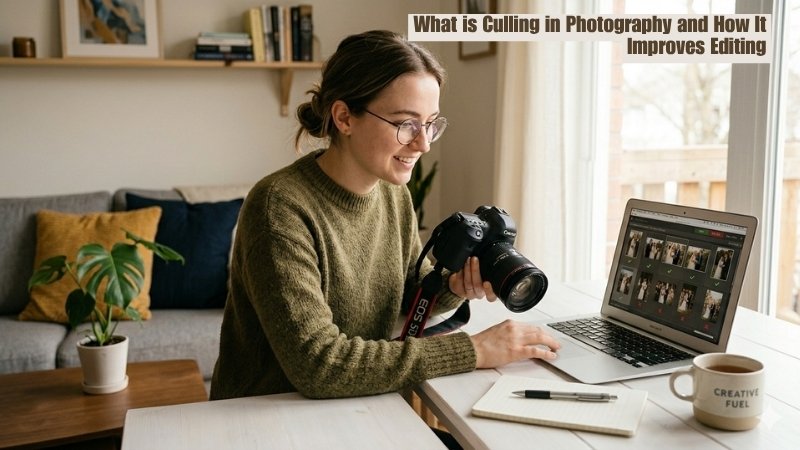
26 Mar What is Culling in Photography and How It Improves Editing
Ever feel overwhelmed sorting through hundreds of photos after a shoot?
Many photographers face this exact problem, especially when trying to identify the best shots quickly. That’s where photo culling comes in. It helps you remove duplicates, blurry images, and keep only the best ones that stand out.
With a proper culling workflow, you can speed up editing, maintain a consistent visual style, and deliver high-quality images that meet both client expectations and your professional standards. But how can you do it?
Look no further, in this article, we’ve covered different culling methods, a step-by-step process, top-notch culling software, and a renowned service provider so you can pick the best. Let’s get started!
What is Culling in Photography?
Culling in photography refers to reviewing and selecting the best images after a photoshoot. It is the essential and pre-editing process for sorting duplicates, blurry shots, or technical failures.
From outdoor to indoor shoots or events, photographers take several shots. And many shots might not meet the criteria and may not be professional for delivery. It is a simple process for a small number of photos, but this can be difficult for a large number of images.
Why Culling is Important
Photo culling is important for delivering professional-grade, high-quality images to clients. This is the primary process after a shoot and before starting editing. It not only eliminates the selection time but also ensures the overall quality after editing.
Other benefits are as follows:
Saves Time in Editing
After a shoot, photographers often come back with hundreds or even thousands of images. Whether you outsource photo retouching services or do it yourself, every single image takes time. Here,
Culling helps you:
- Eliminate duplicates (burst shots, similar poses).
- Remove technically flawed images (blur, bad exposure, missed focus).
- Focus only on images worth your effort and
- Help to shorten the best 50–100 images.
Enhances Photographer Skills
Photo culling sharpens your photography skills (e.g., exposure, focus, emotion, and composition) across hundreds of similar shots. Also, you notice:
- Help to explore unique photoshoot patterns.
- Your strengths and unique style.
- Moments you consistently capture well.
Preserves Your Storage Space
High-resolution RAW files take up a lot of storage, especially for event or wedding photographers. Keeping every single shot leads to clutter and increased storage costs.
Culling helps you:
- Freeing up hard drives, SSDs, and cloud backups from clutter.
- Organize files more efficiently.
- Reduce the need for expensive storage upgrades.
Speeds Up Workflow
A streamlined workflow is crucial for professional photographers, especially when handling multiple clients. From import to delivery, everything moves faster when you’re only working with your best images.
With culling, you:
- Reduce file load in editing software
- Improve performance (less lag, faster previews)
- Shorten the overall project timeline
Boosts Client Satisfaction
Clients don’t want hundreds of similar photos; they want the best ones. Delivering a refined, high-quality gallery enhances their experience.
Through proper culling, you:
- Remove weak or repetitive images
- Highlight the most meaningful moments
- Present a professional, curated story
How to Cull Photos Effectively?
There are two primary photo culling methods: culling out and culling in, which we’ll discuss later. Others are as follows:
Manual Culling
Manual photo culling in photography is the process where photographers manually review, sort, and select the best images from a photoshoot. It involves using software to rate, flag, or label photos—typically focusing on technical quality and artistic impact.
- Process: Photographers often use a “culling in” approach (marking only the best photos) or “culling out” (marking poor shots for deletion).
- Tools: Adobe Lightroom.
- Challenges: Time-consuming, especially for large shoots, and leads to decision fatigue.
AI-Powered Culling
AI-powered photo culling is the automated process of using artificial intelligence to analyze, sort, and select the best images from a photoshoot. It cuts down selection time by up to 90%. It instantly identifies, flags, or removes technical flaws such as closed eyes, blur, poor focus, and bad lighting.
- Process: Performs automated analysis and flags images as keep, reject, or review.
- Tools: AfterShoot, Excire Foto, etc.
- Challenges: It might struggle with artistic choices, facial detection might fail in group shots or unusual poses, etc.
Photo Culling Service Provider
A photo culling service provider is an outsourced professional or a professional clipping path company that reviews large volumes of images and delivers a polished set. They act as a post-production filter layer.
- Process: Photographers send files, share the briefing, and get edited images.
- Tools: Adobe Lightroom, Capture One, and others.
- Challenges: Takes time to cull & retouch images (if required).
Photo Culling In vs Culling Out
Culling in (selecting the best) focusing on flagging keepers. On the contrary, culling out (making rejections) is the traditional method focusing mainly on deleting bad shots.
Below, we’ve shared a detailed difference table between photo culling in and culling out methods:
| Aspect | Culling In | Culling Out |
|---|---|---|
|
Core approach |
Choosing only the images that you’d want to edit and deliver to a client.
|
Your main focus is getting rid of bad shots (e.g., blinks, out-of-focus, duplicates, etc.)
|
|
Speed |
Faster, produces a more refined and high-quality final set. |
Slower, often leads to keeping too many similar photos.
|
|
Best for |
High-volume shots, pros |
Small sets, beginners |
|
Focus |
Aesthetic & purpose-driven photos
|
Technical flaws (blur, exposure, duplicates)
|
|
Outcome |
Stronger, curated selection
|
May keep average shots
|
Step-by-Step Guide to Effective Photo Culling
Below is a detailed workflow on how to cull photos effectively:
Workspace Preparation
Before you start culling, your setup should remove friction. So, start with organizing your files:
- Create a clean folder structure (e.g., Project Name -> RAW -> Selects -> Final)
- Rename files or folders if needed (e.g., date + shoot type)
- Keep at least one backup copy before deleting anything
- Use external drives or cloud storage
After that, choose one software, Adobe Lightroom Classic, or AI software. Also, learn keyboard shortcuts and work in a well-lit room.
Initial Photo Review
Go through the images one by one so you can remove everything unusable quickly. For this, spend 1-2 seconds per photo. In this stage, you should delete images with:
- Blurry or out of focus
- Eyes closed (portraits)
- Bad exposure (too dark/bright beyond recovery)
- Accidental shots (ground, ceiling, test shots)
- Awkward expressions or bad timing
Professionals aim to reduce 50-70% when culling images.
Detailed Evaluation
It’s time to compare, refine, and identify the best images. And for this, you should focus on quality and compare similar shots. So, it’s ideal to:
- Look for natural expressions; no awkward gestures
- Clean framing
- No distractions in the background
- Good balance and subject placement
- Perfect lighting; no harsh shadows
Final Selection and Organization
Now, it’s time to finalize a clean shortlist with polished images. So, think about the purpose when you go through your shortlisted images and remove subtle duplicates or weaker ones. For this,
- Check overall consistency (similar color and exposure & no repetitive compositions)
- Think about the purpose (e.g., does it fit the story or event goal?)
Now, you get a clean and professional set of images ready for editing or delivery. Selecting your strongest images also helps you build a quality collection that can be used for different purposes, including portfolios, client work, or selling your photography online.
Tools and Software for Photo Culling
The best image culling software for photographers is as follows:
Best Desktop Solutions for image culling
Adobe Lightroom Classic
The best desktop-based photo culling software is Adobe Lightroom Classic. It is used for powerful editing features, metadata management, and the ability to handle large photo libraries. It introduced a new AI feature called “Assisted Culling,” which helps photographers sort and select faster.
Key features:
- Full suite of editing tools (e.g., color grading, masking, and healing)
- 2industry-standard tool with countless tutorials and presets
- Supports tethered shooting for studio setups
- Global support and wide adoption
- Part of the Adobe Creative Cloud ecosystem
Capture One Pro
Another best culling software for photographers is Capture One Pro, ideal for professional, studio, and tethered workflows. Its specialized Cull View mode allows you instant viewing and rating without importing. The tool is also popular for its speed and efficiency, often preferred by professional photographers who need to process large volumes of images quickly and precisely.
Key features:
- Zero-latency previews
- Built-in focus mask highlights the sharpest areas
- Group similar images together
- Dedicated cull tools with a high-speed window
Best photo culling software for smartphones
PhotoPicker
AI Photo Culling: PhotoPicker is the best photography culling app for iOS users, designed to speed up photo selection on smartphones. It is useful for mobile-first photographers, especially those who work with both smartphones and professional cameras. You don’t need to connect to the internet. Also, access photos directly from memory cards, external SSDs, or folders.
Key features:
- AI-powered culling detects blurry shots, closed eyes, and duplicates
- Supports XMP tags
- Lightroom Classic integration
- Useful to create catalogs with JPEG and RAW files
Adobe Lightroom Mobile
Are you familiar with the Adobe ecosystem? If yes, Adobe Lightroom Mobile is the best all-in-one photo culling and editing app for you. Its strength lies in quickly flagging and organizing high-resolution images with a user-friendly interface, faster than desktop applications.
Key features:
- Rapid flipping through images
- Intuitive gesture controls
- Seamless syncing with mobile and Lightroom Classic
- AI-assisted culling
- Raw file handling
Best AI-Based tools for culling images
AfterShoot
If you are searching for the best AI photo culling software options, AfterShoot is an all-in-one software for you. It is popular for its speed, offline functionality, and ability to handle large volumes of images without cloud uploads. It detects closed eyes, blurry images, and duplicates.
Key features:
- Provide privacy and faster processing
- Intelligent grouping for similar shots
- Works offline
- Ranks shots based on quality
- Survey Mode available
Narrative
Another AI-based, lighting-fast, and purpose-built software is Narrative, best for professional photographers. It helps you cull thousands of raw shots and a curated selection in minutes. From UI design to high-res previews and Lightroom integration, Narrative is built for creative photoshoots.
Key features:
- Automatic grouping of similar images
- Faster face details detection with close-ups
- Eye and focus assessments
Best professional services for image culling
Masking Aid
Sometimes you might face quality issues and limitations when culling a bunch of images. To avoid all of this, you need professionals with advanced editing skills. Masking Aid is a professional photo editing and outsourcing company with in-house experienced photo editors. Outsourcing from this company, you not only get a polished set of images but post-production services, including:
- Background removal
- Image masking (complex edge isolation like hair/fur)
- Retouching (skin, product cleanup)
- Color correction
- Shadow creation, and others.
This is a one-stop solution for all your images. All you need to send files and get your best quality images in time.
Best Practices and Tips for Culling
The best practices and tips for culling as professional photographers are as follows:
- Remove emotional attachment: After shooting a bunch of images of products or events, evaluate the images out of the shooting context. Emotionally reviewing every shot slows down the workflow. Remember, a detached, objective approach helps ensure a more consistent final selection (e.g., a wedding gallery or portfolio).
- Check technical details: Start with initial filtering (e.g., focus, motion blur, and closed eyes). Removing flawed photos (e.g., poor exposure, high noise) saves time in photo editing and prevents you from burning out on creative decisions later.
- Consider the purpose: Select images based on the client reference or that enhance your professional photography portfolios. So, ask yourself, what role does this image serve? Does this match the client’s requirements? A purpose-built image culling acts as the foundation for a professional, efficient, and intentional workflow.
- Leverage culling software: Use image culling software to reduce volume and increase speed, while retaining creative control. Some tools, like FilterPixel or Narrative, work perfectly. But for better results, it’s ideal to outsource image culling services from renowned photo editors.
- Review for final selection: the final stage is a cohesion and quality audit of the entire set. Ensure logical progression (especially for events/editorial), and avoid visual clustering of similar compositions. Pay attention to consistency; color, exposure, contrast, and lighting style align across the final set.
Selecting keepers from a series of images might not always be straightforward, especially for events. So, make the image culling process fun and evaluate several key technical, content-driven, and artistic factors to choose the polished ones.
Frequently Asked Questions About Culling in Photography
How do photographers cull their images?
Photographers cull their images manually by reviewing and selecting the best images from a shoot. Nowadays, they use AI software to save time, but there are some drawbacks too.
Why do product photographers need to cull their images?
Photographers need to cull their images to select the best shots, ensuring high-quality, professional, and consistent final products that save editing time.
Which images should photographers cull?
Photographers should cull images that are blurry/out-of-focus, over/underexposed, have technical failures, have poor lighting, or are redundant.
How many photos should I keep after culling a shoot?
After culling a shoot, most photographers aim to keep 10-30%, depending on client expectations, purpose, and shooting style.
Conclusion
Culling in photography is more than just removing unwanted images; it’s a critical step that shapes the quality of your final work. By selecting only the best photos, you not only save time during editing but also create a more consistent and impactful visual story.
Mastering culling is a key step toward delivering professional, client-ready results with confidence.
