
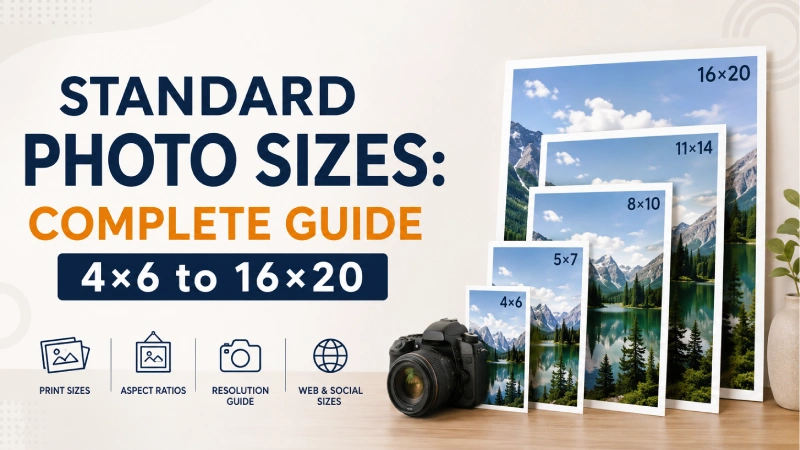
15 May Standard Photo Sizes: Complete Guide 4×6 to 16×20
Standard photo sizes play a crucial role in photography, printing, and visual design. Whenever you’re adding photos to your photography portfolios, client social platform, or print materials, you’ve realized there isn’t a one size fits for all.
Even you might notice that a small print feels personal and intimate, while a large wall-sized image becomes a statement piece in any space. Curious thinking about how to select the best photo & print sizes to ensure a perfect visual story, composition, accurate cropping, and high-quality output across albums, frames, and wall displays.
In this guide, we’ll walk through the most common photo print sizes from 4×6 to 16×20, so you can transform your photos into meaningful visual experiences.
Key Takeaways
- Standard photo sizes are industry-standard dimensions used for printing photographs.
- 4×6 inches (3:2 aspect ratios) is considered the standard photo size because most digital and smartphone cameras use it.
- For photography the best aspect ratios are 16:9 or wider (landscape/panoramic), 4:5 or 4:3 (portrait), etc.
- Must avoid the common mistake when choosing right photo is neglecting to match the camera’s aspect ratio with print size.
Why Standard Photo Size Matters
Standard photo sizes matter because they ensure images display correctly without cropping. Also, help photographers, designers, and customers maintain consistency and compatibility across both digital and printed formats. Other key benefits are:
- Simplifies photographers’ workflow
- Eliminates unwanted cropping
- Ease of framing
- Optimal resolution
- Optimized loading speeds
- Helps clients make better choices
- Enhances professionalism
What are Standard Photo Sizes?
Standard photo sizes are the most commonly used image dimensions for printing, framing, photography, social media, and digital displays. These sizes follow widely accepted aspect ratios and printing standards, making them compatible with photo frames, albums, printers, websites, and marketing materials.
Photographers, designers, and print labs use standard photo sizes to ensure images display correctly without unwanted cropping, stretching, or loss of quality. However, the most common standard photo sizes are 4×6, 5×7, 8×10, and so on.
What is Aspect Ratio?
proportional relationship between an image or screen’s width and height. It is expressed with two numbers separated by a colon. For example, 3:2 means the width is greater than the height, creating a rectangular image, not its actual size or resolution.
Most Common Aspect Ratios
As mentioned earlier, aspect ratios represent proportional shape. For example, a 3000×2000 image and a 6000×4000 image both use a 3:2 aspect ratio because their proportions are the same.
For more details, let’s go check out the details below, so you avoid composition, cropping, and printing issues. Also, help you to show standard-sized photos perfectly across devices and social platforms.
1:1 – Square (Instagram, profile photos)
A 1:1 aspect ratio means the image width and height are exactly equal, creating a perfect square shape. The square frame is popular on social media, especially on Instagram posts. Its symmetrical shape feels balanced and visually clean, making it ideal for mobile viewing.
Photographers often use the square format to simplify composition. Because every side is equal, viewers focus more on the subject rather than directional movement. The format works especially well for:
- Centered compositions
- Symmetrical subjects
- Portraits
- Flat lays
- Close-up product shots
Limitations:
- Less suitable for landscapes
- Can feel restrictive for wide scenes
- Sometimes requires aggressive cropping
3:2 – Standard photography (DSLR, 4×6 prints)
A 3:2 aspect ratio means the image width is 1.5 times the height. This is one of the most common photography ratios used by DSLR and mirrorless cameras. The 3:2 format originated from 35mm film photography and later became the standard for modern digital cameras. It provides a natural balance between width and height, making it versatile for nearly every photography genre.
Photographers prefer 3:2 because it closely matches how people naturally frame scenes through a camera viewfinder and helps to preserve maximum image resolution without cropping. It is especially useful for:
- Environmental portraits
- Scenic landscapes
- Documentary photography
- Street photography
Limitations:
- Sometimes too wide for social media
- Cropping may be needed for mobile platforms
4:3 – Screens & mobile cameras
A 4:3 aspect ratio means the image width is slightly wider than the height. The format became popular because it offers a practical balance between vertical and horizontal space. Smartphone manufacturers often use it because it fits naturally on mobile screens and maximizes sensor efficiency.
Compared to 3:2, it provides slightly more vertical room, which can help with portraits and close compositions. Photographers use 4:3 when they want a more compact and balanced frame. It is especially useful for:
- Mobile photography
- Everyday snapshots
- Social media stories
- Family photography
- Travel content
Limitations:
- Less cinematic than widescreen formats
- Not ideal for panoramic scenes
16:9 – Widescreen, video, web banners
A 16:9 aspect ratio is a widescreen format commonly used for videos, monitors, TVs, YouTube content, and web banners. The rise of HDTVs, streaming platforms, and online video made 16:9 the global standard for digital media. Also, fits naturally on modern computer monitors, televisions, laptops, and smartphones in landscape orientation.
Photographers use 16:9 when they want a cinematic or storytelling effect. The extra horizontal space helps emphasize movement, scenery, and atmosphere. This ratio is popular for:
- Landscape photography
- Travel photography
- Drone photography
- Cinematic portraits
- Website headers
Limitations:
- Less effective for vertical subjects
- Requires more careful composition
- Can waste space in portrait photography
Panoramic ratios (e.g., 18:6) - Ultra-Wide Format
Panoramic aspect ratios are ultra-wide image formats designed to capture expansive scenes. It is popular because it allows photographers to capture scenes that cannot fit naturally into standard frames. Ultra-wide images create a highly immersive viewing experience.
Photographers use panoramic ratios to emphasize scale, distance, and atmosphere. The extended width guides the viewer’s eyes across the frame and creates a sense of movement. Panoramic ratios are commonly used for:
- Mountains
- Beaches
- Forests
- Skylines
- Large group shots
- Real estate photography
Limitations:
- Difficult to print in standard sizes
- Requires precise composition
- Less suitable for portraits
- May appear too narrow on mobile devices
How to Choose the Right Aspect Ratio
Choosing the right aspect ratio depends on your platform, subject matter, and creative intent. For example, 16:9 is best for modern widescreen video (YouTube/TV), and 9:16 is ideal for vertical mobile content (TikTok/Stories).
The best ways to choose the right ones are as follows:
1. Select the platform (where will it be seen?)
- Vertical Mobile (9:16): Use for Instagram Stories, TikTok, Reels, and YouTube Shorts. It maximizes screen space for mobile viewers.
- Widescreen (16:9): The standard for YouTube, television, and video streaming. It offers a cinematic feel and is the default for most modern displays.
- Square (1:1): Ideal for Instagram feed posts and Facebook, providing a balanced, compact look.
- Portrait/Vertical (4:5 or 4:3): Common for photography, especially for printing portraits or posting to Instagram feeds for more vertical space.
2. Consider the Subject (What are you shooting?)
- Landscape/Cinematic (16:9 or 2.35:1): Best for wide, sprawling landscapes or cinematic, film-like video content.
- Portraits (4:3 or 3:2): Ideal for portraits because they frame subjects naturally.
- Product/Food Photography (1:1 or 4:5): Effective for highlighting a single subject in a focused way.
3. Consider Camera Capabilities
- Camera Sensor: Choose an aspect ratio that matches your camera sensor (e.g., 3:2 for full-frame DSLRs, 4:3 for Micro Four Thirds/smartphones) to avoid unnecessary cropping and maintain maximum resolution.
- Future Editing: If you’re unsure where to post, shooting in a wider format (like 3:2) gives you more flexibility to crop into a 16:9 or 1:1 format later.
A quick checklist:
| Ratio | Type | Best Usage |
|---|---|---|
|
9:16 |
Vertical |
TikTok, Reels, Stories |
|
1:1 |
Square |
Instagram Post, Facebook |
|
4:5 |
Portrait |
Instagram Portrait Post |
|
4:3 |
Standard |
Smartphone Video, Photography |
|
3:2 |
Photo |
DSLR Photography |
|
16:9 |
Widescreen |
YouTube, TV, Film |
Standard Photo Print Sizes: A Complete Guide
Photo print sizes determine how an image will look when displayed in albums, frames, wall decor, or professional presentations. Each size serves a different purpose, from casual everyday memories to large statement wall art.
Below are the most popular photo print sizes and why photographers and consumers use them so frequently.
Most Popular Photo Print Sizes
The 4×6 format (3:2) is considered the standard photo print size because it matches the native aspect ratio of most DSLR and mirrorless cameras. This means images can usually be printed without cropping.
It is also affordable, widely available, and easy to store. Photographers use it for:
- Minimal cropping is required
- Printing costs are low
- The size is convenient for albums, and
- Images maintain natural composition
Another standard photo frame size is 5×7 (7:5 aspect ratio). It offers a more elegant and professional appearance than smaller prints while still fitting comfortably in tabletop frames and gift displays.
Photographers often recommend 5×7 prints because they:
- Fit common photo frames
- Works well for portraits
- Provide better visual balance and
- Use for client gift prints and small display pieces.
The 8×10 (5:4 aspect ratio) standard-size photo prints have been associated with professional portrait photography. It is large enough to create a visual impact while remaining practical for framing and display.
It is best for studio portraits, graduation, wedding portraits, and professional headshots. Photographers prefer 8×10 prints because they:
- Showcase facial detail clearly
- Look professional in frames
- Create a stronger visual presence
- Works well for portrait orientation
11x14 Photo Size
The 11×14 format (14:11 aspect ratio) creates noticeable wall presence without requiring extremely large spaces. It bridges the gap between standard prints and large-format wall art. Photographers use 11×14 prints because they:
- Create a gallery-style presentation
- Display detail effectively
- Works well in living spaces and
- Elevate photography into decorative artwork
16x20 Photo Size
The 16×20 format (5:4 aspect ratio) is one of the most common large-format print sizes for interior decoration and statement photography pieces. Its large viewing area creates a dramatic visual impact. Photographers choose 16×20 prints because they:
- Highlight image detail
- Create emotional impact
- Turn photos into centerpiece decor and
- Enhance artistic presentation
20x30 Photo Size
The 20×30 format is widely used for posters, exhibitions, promotional artwork, and large decorative photography because it creates immediate visual impact. The large size makes it ideal for viewing from a distance. Photographers use 20×30 prints because they:
- Showcase maximum detail
- Create immersive viewing experiences
- Works beautifully for landscapes and
- Produce a gallery-quality presentation
This format is especially popular for dramatic scenic photography.
Pixel Requirements for High-Quality Printing
For high-quality, professional printing, the standard requirement is 300 pixels per inch (PPI) at the final physical print size. For a crisp, professional result, a 4×6-inch photo requires approximately 1200 x 1800 pixels, while an 8×10-inch print needs 2400 x 3000 pixels.
The high-quality print requirements (300 PPI) chart is shown below:
| Photo Size | Pixel Requirement |
|---|---|
|
4″ x 6″ Photo |
1200 x 1800 pixels |
|
5″ x 7″ Photo |
1500 x 2100 pixels
|
|
8″ x 10″ Photo |
2400 x 3000 pixels |
|
11″ x 14″ Photo |
3300 x 4200 pixels |
|
12″ x 18″ Photo |
3600 x 5400 pixels
|
|
16″ x 20″ Photo |
4800 x 6000 pixels |
If your file is lower than 300 PPI, consider printing smaller or using Photoshop to ensure print quality.
Small, Medium, and Large Print Categories
Print categories are generally divided into small, medium, and large based on international ISO A-series standards or standard photographic or poster sizes.
Small Photo Prints
Small photo prints are compact images designed for close viewing, portability, albums, and tabletop displays. These prints are used for family photo albums, scrapbooks, wallet photos, everyday photography, and so on. Common small print sizes are:
- 4×4
- 4×6
- 5×5
- 5×7
Medium Photo Prints
Medium-sized prints provide a balance between portability and visual impact. They are large enough for decorative display. It is used for portrait photography, office decor, wedding photography, and so on. Common medium print sizes are:
- 8×10
- 8×12
- 11×14
- 12×18
Large Photo Prints
Large prints are designed for maximum visual impact, decorative statement pieces, and professional artwork presentation. These prints are used for wall art, canvas prints, posters, commercial displays, and so on. Common large print sizes are:
- 16×20
- 20×30
- 24×36
- 30×40
- Panoramic prints
Square, Large, and Panoramic Photo Sizes
The standard, large, and panoramic photo dimensions ensure optimal printing and display. Understanding these categories helps photographers choose the right composition for social media, wall art, professional printing, and cinematic visuals.
Square Photo Sizes (Social & Creative Use)
Square photo sizes use a 1:1 aspect ratio, meaning width and height are equal. This creates a perfectly balanced frame that feels stable, modern, and visually clean. Photographers use square framing to simplify composition and emphasize the subject. Without extra horizontal or vertical space, attention stays focused. Common sizes are:
- 4×4
- 8×8
- 10×10
- 12×12
Large Format Prints (Wall Art & Posters)
Large photo sizes are used for wall decor, exhibitions, posters, and professional displays. These prints focus on impact, detail, and visual presence. Large prints turn photographs into visual focal points in a space. They are designed to be seen from a distance and create emotional impact. Common print sizes are:
- 11×14
- 16×20
- 20×24
- 20×30
- 24×36
Panoramic Sizes
Panoramic photo sizes use very wide aspect ratios designed to mimic human peripheral vision, making them feel immersive and cinematic. Photographers use this framing to capture scale and atmosphere that standard formats cannot fit. Common panoramic ratios & sizes are:
- 2:1 (4000 x 2000)
- 3:1 (6000 x 2000)
- 16:9 (3840 × 2160)
- 21:9 (Ultra-wide cinematic)
- 18:6 (Creative panoramic crop)
Standard Photo Sizes for Web & Websites
Web image sizes are designed to balance visual quality and fast loading speed. Below, we’ve discussed in detail:
Common Web Image Sizes
Web images vary depending on their purpose. Below are the most commonly used sizes in modern website design.
| Web Image Type | Web Image Size |
|---|---|
|
1. Hero banner/images |
|
|
2. Website Background images |
|
|
3. Blog post images |
|
|
4. Thumbnail images |
|
|
5. Product images (e-commerce) |
|
|
6. Logo images |
|
|
7. Icon images |
|
Performance Optimization Tips
Optimizing images is just as important as choosing the correct size. Key optimization tips:
- Compress images without losing quality (use tools: TinyPNG, ImageOptim, etc.)
- Use the right file format, like WebP, for modern web optimization.
- Use responsive images
- Maintain proper aspect ratios
- Avoid oversized images
What are the Standard Social Media Image Sizes?
The standard social media image sizes are as follows:
Instagram Image Sizes
Instagram in 2026 is more vertical-focused than ever. Portrait content, Reels, and full-screen visuals increase engagement. While square posts are still common, 4:5 and 3:4 formats now perform better for visibility and reach.
The Instagram photo size cheat sheet 2026:
| Image type | Standard Size | Aspect Ratio |
|---|---|---|
|
1. Profile Photo |
320 × 320 px |
1:1 |
|
2. Square Feed Post |
1080 × 1080 px |
1:1 |
|
3. Portrait Feed Post |
1080 × 1350 px |
4:5 |
|
4. Landscape Feed Post |
1080 × 566 px |
1.91:1 |
|
5. Story |
1080 × 1920 px |
9:16 |
|
6. Reel Cover |
1080 × 1920 px |
9:16 |
|
7. Carousel Post |
1080 × 1350 px |
4:5 |
|
8. IG Highlight Cover |
1080 × 1920 px |
9:16 |
|
9. Instagram ads |
1080 x 566 or 1080 x 1080 |
1.91:1 or 1:1 |
Facebook Photo Sizes
Facebook prioritizes mobile-friendly visuals and high-resolution media. Using the correct image dimensions helps prevent cropping, blurry uploads, and compression issues while improving engagement and professional presentation.
The Facebook photo size cheat sheet 2026:
| Image type | Standard Size | Aspect Ratio |
|---|---|---|
|
1. Profile Picture |
320 × 320 px |
1:1 |
|
2. Cover Photo |
851 × 315 px |
2.7:1 |
|
3. Feed Post (Square) |
1080 × 1080 px |
1:1 |
|
4. Feed Post (Portrait) |
1080 × 1350 px |
4:5 |
|
5. Stories |
1080 × 1920 px |
9:16 |
|
6. Reels Cover |
1080 × 1920 px |
9:16 |
|
7. Event Cover |
1920 × 1005 px |
1.91:1 |
|
8. Group Cover |
1640 × 856 px |
1.91:1 |
|
9. Facebook Ad |
1080 x 1080 px |
1:1 |
X (Twitter) Image Sizes
X (Twitter) prioritizes optimized visuals to improve engagement, clicks, reposts, and profile branding. Here’s the updated and most used image size cheat sheet:
| Image type | Standard Size | Aspect Ratio |
|---|---|---|
|
1. Profile Picture |
400 × 400 px |
1:1 |
|
2. Header/Banner |
1500 × 500 px |
3:1 |
|
3. In-stream |
1600 × 900 px |
16:9 |
|
4. Square Post |
1080 × 1080 px |
1:1 |
|
5. Vertical Post |
1080 × 1350 px |
4:5 |
|
6. Link Card Image |
1200 × 628 px |
1.91:1 |
|
7. X Square Ad Image |
1200 × 1200 px |
1:1 |
|
8. Story / Vertical Video Cover |
1080 × 1920 px |
9:16 |
LinkedIn Photo Sizes
LinkedIn prioritizes high-quality visuals, especially for personal branding, company marketing, recruitment, and B2B content. Here’s the updated and most used image size cheat sheet:
| Image type | Standard Size | Aspect Ratio |
|---|---|---|
|
1. Profile Photo |
400 × 400 px |
1:1 |
|
2. Personal Banner |
1584 × 396 px |
4:1 |
|
3. Company Logo |
300 × 300 px |
1:1 |
|
4. Company Cover Banner |
1128 × 191 px |
~6:1 |
|
5. Single Post (Landscape) |
1200 × 627 px |
1.91:1 |
|
6. Single Post (Square) |
1080 × 1080 px |
1:1 |
|
7. Single Post (Portrait) |
1080 × 1350 px |
4:5 |
|
8. Carousel |
1080 × 1350 px |
4:5 |
|
9. Event Cover Photo |
1776 × 444 px |
4:1 |
|
10. Video Thumbnail |
1280 × 720 px |
16:9 |
|
11. Story / Vertical Video |
1080 × 1920 px |
9:16 |
|
12. Sponsored Ad Image |
1200 × 628 px |
1.91:1 |
YouTube Photo Sizes
The standard YouTube photo sizes are: 1280×720 px for Thumbnails (16:9 ratio), 2560×1440 px for Banners (16:9, safe area 1546×423), and 1000×1000 px for Profile Pictures (1:1 ratio). Here’s the updated and most used image size cheat sheet:
| Image type | Standard Size | Aspect Ratio |
|---|---|---|
|
1. Video Thumbnail |
1280 × 720 |
16:9 |
|
2. Profile Picture |
800 × 800 |
1:1 |
|
3. YouTube Shorts Cover |
1080 × 1920 |
9:16 |
|
4. Community Post Image |
1080 × 1080 |
1:1 |
|
5. End Screen Image |
1280 × 720 |
16:9 |
|
6. Video Watermark |
150 × 150 |
1:1 |
Pinterest Photo Sizes
The standard and recommended size for a Pinterest Pin is 1000 x 1500 pixels. Here’s the updated and most used image size cheat sheet:
| Image type | Standard Size | Aspect Ratio |
|---|---|---|
|
1. Standard Pin (best performing) |
1000 × 1500 |
2:3 |
|
2. Square Pin |
1000 × 1000 |
1:1 |
|
3. Long Pin (Infographic) |
1000 × 2100 |
1:2.1 |
|
4. Idea Pin (Multi-page Story) |
1080 × 1920 |
9:16 |
|
5. Video Pin |
1080 × 1920 or 1000 × 1500 |
9:16 or 2:3 |
|
6. Profile Picture |
165 × 165 (upload 400×400+) |
1:1 |
|
7. Board Cover |
600 × 600 (or 1000×1000 preferred) |
1:1 |
|
8. Product Pin |
1000 × 1500 |
2:3 |
|
9. Carousel Pin Images |
1000 × 1500 each |
2:3 |
Standard Photo Sizes for Marketing Materials
In the digital era, printed materials are also in demand and used by brands, businesses, and so on. Like social media photo sizes, marketing materials’ image dimensions vary. Below, we’ve discussed in detail:
Common Marketing Print Sizes
Some common marketing materials print sizes are:
Business cards
It is the most personal and portable marketing tool for branding. It is the most personal and portable marketing tool for branding. From image to logo or text, everything is placed within. Common business card sizes are:
- Standard (US) – 3.5 × 288.9 × 50.8
- Standard (EU) – 3.346 × 2.16585 × 55
- Square 2.5 × 2.563.5 × 63.5
- Mini 3.5 × 1.7588.9 × 44.5
Flyers & Leaflets
Flyers and leaflets are the most cost-effective mass-distribution marketing tools. They are used to promote events, sales, new products, services, restaurants, real estate, and local businesses. Common flyer size as per Vistaprint is:
- 2.5 x 4 inches
- 3.75 x 8.25 inches
- 4 x 6 inches
- 4.2 x 5.5 inches
- 5 x 7 inches
- 5.5 x 8.5 inches
- 6 x 6 inches
- 8 x 8 inches
- 8.5 x 11 inches
- 11 x 17 inches
Brochures & Booklets
Brochures are the storytellers of print marketing. Unlike flyers (which are quick and punchy), brochures are designed to inform, educate, and build trust over multiple panels.
- Bi-fold: Flat size (11 x 8.5), folded size (5.5 x 8.5), notes 4 panels.
- Tri-fold: 8.5 × 113.67 × 8.5
- Z-fold: 11 × 8.53.67 × 8.5
- Gate fold: 11 × 8.5
- A4 Bi-fold: 420 × 297mm
Banner & Ad Sizes
Banners are used for storefronts, events, exhibitions, and outdoor marketing. Sizes are usually measured in feet for real-world printing.
| Banner Type | Size | Best Use |
|---|---|---|
|
1. Small banner |
2 × 4 ft |
Shop offers, indoor promotions |
|
2. Standard banner |
3 × 6 ft |
Storefronts, events |
|
3. Large banner |
4 × 8 ft |
Outdoor advertising |
|
4. Extra-large banner |
5 × 10 ft |
Festivals, campaigns |
|
5. Event Backdrop |
8 × 10 ft |
Stage branding, photography |
|
6. Building Banner |
20 × 40 ft+ |
High-impact outdoor ads |
On the other hand, print ad used for indoor advertising, retail marketing, product promotion, and informational displays. Standard print ad sizes (ISO posters) are:
| Ad Type | Ad Type | Best Use |
|---|---|---|
|
1. A4 Poster |
210 × 297 |
Flyers, notices |
|
2. A3 Poster |
297 × 420 |
Retail ads, menus |
|
3. A2 Poster |
420 × 594 |
Store promotions |
|
4. A1 Poster |
594 × 841 |
High-visibility ads |
|
5. A0 Poster |
841 × 1189 |
Large campaigns |
Image Size vs Resolution (Pixels vs PPI Explained)
Image size refers to the physical dimensions of an image (width x height), measured in pixels, or the digital file size measured in KB or MB. On the other hand, image resolution refers to the amount of detail an image holds, measured in PPI.
In simple terms, pixels control the image’s dimensions, while PPI (Pixels Per Inch) affects sharpness and print quality. The key differences are shown in the table below:
| Feature | Image Size (pixels) | Resolution (PPI) |
|---|---|---|
|
Affects |
Overall dimensions and file size |
Sharpness and print detail |
|
Main Purpose |
Determines how large an image can appear |
Determines image clarity in print |
|
Impact on File Size |
Significantly increases file size |
Usually does not greatly affect file size alone |
|
Best Web Setting |
Large enough pixel dimensions, usually 72–150 PPI |
Lower PPI is acceptable for screens |
|
Best Print Setting |
High pixel dimensions |
300 PPI recommended for high-quality prints |
|
Important For |
Digital displays, websites, social media |
Printing photos, magazines, posters |
How to Choose the Right Photo Size
The best size depends on where the image will be used, how people will view it, and the original photo resolution. Some key factors you must consider to choose the right one:
Based on Purpose
Different uses require different photo sizes. Picking the correct one helps you avoid unnecessary cropping or blurry prints. For example,
- Social Media: Square formats (1:1) work best for Instagram posts. Whereas horizontal sizes are ideal for YouTube thumbnails and Facebook covers. [Note: For more details, check out the previous section]
- Photo Printing: Match the print size with your camera resolution. Also, consider small, medium, and large prints from their perspectives and use cases.
- Frame Dimensions: Choose photo sizes that fit standard frame dimensions to avoid expensive custom framing.
- Websites & Blogs: Use compressed image sizes to improve page speed.
- Advertising & Marketing: Digital ads should follow platform-recommended dimensions. Whereas flyers and brochures need print-ready CMYK images at 300 DPI.
Based on Composition
Your photo composition also determines the ideal size and aspect ratio. For example,
- Portrait Photography: Vertical sizes emphasize subjects naturally. Best choices are: 5×7, 8×10, and 11×14.
- Landscape Photography: Wider aspect ratios preserve scenery details. Best choices are: 4×6, 8×12, and 16×24.
- Group Photos: Wider sizes help fit everyone comfortably. [Note: Leave extra edge space during shooting for safer cropping later.]
- Fine Art & Wall Decor: Larger prints create a stronger visual impact.
Based on Display Location
Where the photo will be displayed matters as much as the photo itself, such as:
- Small spaces: 4×6 or 5×7; these sizes are easy to view closely without overwhelming the area.
- Medium wall displays: 8×10, 11×14, or 16×20; these create noticeable visual presence without dominating the wall.
- Large rooms: Large spaces need larger prints so the image doesn’t appear visually lost. The recommended sizes are: 20×30, 24×36, or panoramic prints.
Viewing Distance Rule
The farther people stand from a photo, the larger the print can be without visible quality loss. For example,
- Close Viewing Distance (1–3 feet)
- Medium Viewing Distance (4–6 feet)
- Long Viewing Distance (7+ feet)
How to Resize Images Without Losing Quality
Resizing images without losing quality is achieved by:
- Using high-resolution images
- Maintaining the aspect ratio, and
- Utilizing photo editing tools (e.g., Canva, Photoshop, etc.)
However, for the best results, professional photographers outsource photo editing services.
Common Mistakes to Avoid Resizing Images
Improper resizing can ruin image quality, distort composition, and create unprofessional results. Whether you are preparing photos for printing, social media, websites, or marketing materials, go through the most common resizing mistakes to maintain visual appeal and quality.
1. Ignoring aspect ratio: Stretching or squashing an image to fit specific dimensions, which alters the proportion of the subject.
How to avoid: Always “lock” or “constrain” the aspect ratio in your editing tool when resizing, so the height scales proportionally with the width.
2. Upscaling Small Images (Pixelation): When you make a small, low-resolution image larger. It results in blurry, pixelated, and low-quality images.
How to Avoid: Start with the highest-resolution image.
3. Over-compressing: Using high compression, which creates artifacts (blurry/blocky areas).
How to Avoid: Balance compression to keep file sizes low without destroying detail.
4. Using Wrong File Format: Saving a photo (many colors) as a GIF or a graphic (few colors) as a JPEG can also reduce quality.
How to Avoid: Use JPEG for photographs and PNG for graphics/transparency.
5. Not Saving the Original File: Overwriting the original high-resolution image during the resize process.
How to Avoid: Always work on a copy of the original image, or select “Save As” to create a new file.
6. Skipping Optimization for Web/Mobile: Using overly large images, which slows down page load times and hurts SEO.
How to Avoid: Resize images to their exact display dimensions for the web (e.g., if a photo is displayed at 400×300, do not upload a 4000×3000 photo).
7. Multiple Resizing Steps: Resizing the same image multiple times (e.g., resizing a 1000px image to 500px, then to 250px destroys quality, especially with JPEGs.
How to Avoid: Always resize in one single step from the original, larger file.
Pro Tips for Better Results
The quick and effective tips for choosing the right photo size are as follows:
- Start with the highest-resolution image possible.
- Keep the original aspect ratio to avoid unwanted cropping.
- Match the photo size with the frame before printing.
- Upscaling low-resolution images usually reduces quality.
- For professional printing, always check the minimum pixel requirements first.
- Test print important images before ordering large sizes.
FAQs
What is the most common standard photo size?
The most common standard photo size is 4x6 inches (10x15 cm) because it matches the 3:2 aspect ratio of most digital cameras and 35mm film. It is the industry standard for traditional snapshots, photo albums, and commercial printing.
How big is a wallet-sized photo?
How big is a wallet-sized photo?
What size photo is required for a US passport?
US passport photos must be exactly 2x2 inches (51 x 51 mm).
What resolution do I need for large photo prints?
For high-quality large photo prints (16x20 inches or larger), you need a resolution of at least 150-300 pixels per inch (PPI) for close viewing or roughly 100-150 PPI for large prints viewed from further away.
Do standard photo sizes match standard frame sizes?
Yes, standard photo sizes generally match standard frame sizes for popular formats like 4x6, 5x7, 8x10, and 11x14 inches.
Conclusion
Standard photo sizes like 4×6 to 16×20 play a crucial role in shaping how images are printed, displayed, and experienced. Choosing the correct size enhances both aesthetic appeal and technical quality. Mastering these basics is essential for any photographer or content creator.
